
OpenClaw for Marketing: Automate Leads, Email & More
OpenClaw for Marketing: Automate Lead Follow-Up, Email, and Competitor Research
A lead that doesn't hear back within five minutes is roughly 80% less likely to convert — and most marketing teams miss that window because someone is buried in a workflow builder instead of watching the inbox. That's the gap OpenClaw for marketing closes: an AI agent that lives in the messaging apps marketers already have open and acts on leads, emails, and competitor moves the moment they happen.
Key Takeaways
- OpenClaw automates repetitive marketing workflows — lead follow-up, email sequences, competitor research — inside WhatsApp, Telegram, and Discord, with no extra tool switching required.
- Marketing teams using OpenClaw report saving 10–20 hours per week on manual tasks like sending follow-ups, scheduling responses, and tracking competitor changes.
- Unlike email marketing platforms charging $99–$500/month, OpenClawHQ offers unlimited automation for $49/month flat, with AI reasoning that adapts to context instead of following fixed rules.
- Setup takes about 5 minutes through a web dashboard — no technical knowledge, server management, or separate API costs involved.
Contents
- What Is OpenClaw for Marketing, and How Do Teams Actually Use It?
- How Can OpenClaw Save Time on Lead Follow-Ups?
- Which Marketing Tasks Can OpenClaw Automate Automatically?
- Can OpenClaw Research Competitors and Generate Insights?
- Can OpenClaw Send Emails and Manage Nurture Sequences at Scale?
- How Does OpenClaw for Marketing Compare to HubSpot and ActiveCampaign?
- Is OpenClaw Good for Marketing Agencies and Teams?
- What Do Professional Marketers Use OpenClaw For?
- Get Your OpenClaw Marketing Automation Running Today
- Frequently Asked Questions About OpenClaw for Marketing
What Is OpenClaw for Marketing, and How Do Teams Actually Use It?
OpenClaw for marketing means running the open-source AI agent OpenClaw as an always-on assistant that handles lead follow-up, email sequences, competitor tracking, and social monitoring from inside WhatsApp, Telegram, Discord, or Slack. Unlike a chatbot that only answers when spoken to, OpenClaw reasons through multi-step tasks on its own — it can read a new lead's message, decide what to send back, and act.
That distinction matters more than it sounds. Rules-based marketing automation platforms fire a pre-written email when a trigger condition matches. OpenClaw reads context and adjusts its response, which is closer to what a human coordinator would do at 11pm on a Tuesday.
Our breakdown of OpenClaw use cases across industries covers this same reasoning-versus-rules distinction for other business types.
Marketing teams are drawn to it because it doesn't ask them to learn a new interface. It sits inside the apps a team already checks fifty times a day.
How Can OpenClaw Save Time on Lead Follow-Ups?
OpenClaw's email integration and automated response skills let it read an incoming lead message, draft a contextual reply, and send it — or escalate to a human — without a marketer touching the thread. That single capability is why teams report saving 10–20 hours a week: follow-up used to mean checking five inboxes manually.
Here's the mechanism in plain terms. A skill in OpenClaw is a pre-built automation — think of it as a task the agent knows how to run on request. For lead follow-up, the relevant skills are email sending and automated response generation, both active by default once you connect a channel.
A concrete sequence looks like this:
- A prospect fills out a form or messages your business WhatsApp number
- OpenClaw reads the message and checks it against your instructions (tone, offer, next step)
- It drafts and sends a personalized reply within seconds, not hours
- If the lead asks something outside its instructions, it flags the thread for a human instead of guessing
Reality check: Most "instant response" marketing tools are actually rule triggers — same message, every time, regardless of what the lead actually wrote. OpenClaw reads the specific message before it replies.
Which Marketing Tasks Can OpenClaw Automate Automatically?
Lead follow-up is the headline use case, but it's one piece of a broader set of openclaw marketing workflows teams are building. The pattern is consistent: any task that involves reading something, deciding on an action, and executing it is a candidate.
Tasks marketing teams are automating with OpenClaw today:
- Lead follow-up and qualification — replying to new inquiries and routing qualified leads to a human
- Email nurture sequences — sending contextual follow-ups based on where a lead is in the funnel
- Competitor monitoring — checking competitor pricing pages and product listings for changes
- Social and mention tracking — scanning for brand mentions and flagging ones that need a response
- Content drafting — producing first-draft copy for emails, captions, or landing page sections
- Affiliate and partner coordination — tracking commission triggers and sending payout confirmations
Not every team uses all six. Most start with lead follow-up, since it has the clearest ROI, then expand into competitor research once the first workflow is running reliably.
Can OpenClaw Research Competitors and Generate Insights?
Yes — OpenClaw's web browsing capability lets it visit competitor pricing pages, product listings, and promotional content on a schedule, then summarize what changed. This is one of the few marketing tasks that's genuinely tedious for a human and genuinely simple for an agent that can navigate a browser.
 Competitor pricing checks run on a schedule instead of a recurring calendar reminder nobody keeps.
A small agency running OpenClaw for a client, for example, might set it to check three competitor sites every Monday morning and message a summary to the team's Discord before the weekly call. No one opens a spreadsheet. No one forgets to check.
The same web browsing skill extends past pricing. OpenClaw can pull recent blog posts, scan for new product announcements, or check whether a competitor's ad copy changed — all summarized into a message instead of a raw data dump.
Can OpenClaw Send Emails and Manage Nurture Sequences at Scale?
OpenClaw's email skill sends messages directly and can run multi-step nurture sequences by holding context across a conversation — remembering what a lead has already been told before sending the next email. This is openclaw email marketing in its most literal sense: the agent composes and sends, it doesn't just template-fill.
 Nurture sequences run on context the agent already has, not a rigid if-this-then-that chain.
Traditional nurture sequences are built once and sent to everyone the same way, regardless of how they've engaged. OpenClaw can adjust: a lead who replied with a specific objection gets a different next email than one who went quiet. That's a meaningfully different starting point than most rules-based platforms.
For teams sending high volume, the more relevant number is usage. There's no per-email or per-contact fee to track — the automation runs as much as it needs to.
How Does OpenClaw for Marketing Compare to HubSpot and ActiveCampaign?
OpenClaw isn't a replacement for a CRM — it's an AI agent that automates the messaging and research work marketing teams do manually, at a flat $49/month instead of a per-contact or per-seat bill. HubSpot and ActiveCampaign manage contact records and campaigns; OpenClaw executes tasks with reasoning, inside apps your team already uses.
| Platform | Starting Price | Pricing Model | Automation Type |
|---|---|---|---|
| HubSpot Marketing Hub | $50–$3,200/mo | Tiered by contacts/features | Rules-based workflows |
| ActiveCampaign | $19–$449/mo | Tiered by contacts | Rules-based + CRM |
| Zapier | $19–$2,070/mo | Tiered by task volume | No-code connectors |
| Make.com | $9–$2,000/mo | Tiered by operations | Visual automation, technical setup |
| OpenClawHQ | $49/mo flat | Unlimited usage | AI reasoning, messaging-native |
Worth knowing: Zapier and Make.com connect tools together, but they still execute fixed rules — "if X happens, do Y." OpenClaw reads the actual content of a message before deciding what Y should be.
The honest caveat: if a team needs deep contact scoring, pipeline reporting, or a full CRM, OpenClaw isn't that tool. It pairs well alongside one, handling the reactive, message-based work a CRM doesn't automate on its own.
Is OpenClaw Good for Marketing Agencies and Teams?
Agencies use OpenClaw to run lead follow-up and reporting automations across multiple clients without hiring an operations hire for each account, since one instance can be configured per client relationship. For teams managing several client accounts, that's a meaningful cost difference against staffing up.
This is also where the reseller angle shows up. Some agencies package OpenClaw automation as a standalone service line — our guide on how to make money with OpenClaw walks through three models teams are actually using, and selling OpenClaw as a service covers pricing and client structure specifically.
Internal marketing teams benefit differently. Instead of adding automation headcount, one person configures the instructions and the agent runs the repetitive parts — freeing the team to focus on strategy and creative work instead of message triage.
What Do Professional Marketers Use OpenClaw For?
In practice, professional marketers lean on three recurring jobs: catching leads the moment they arrive, keeping nurture sequences moving without manual sends, and staying current on what competitors are doing without a weekly research block on the calendar. Those three cover the bulk of what makes OpenClaw for digital marketing worth the setup time.
Industry-specific use cases extend the same pattern. Real estate teams use it to qualify inbound WhatsApp inquiries; ecommerce brands use it to flag abandoned-cart conversations and restock questions; general business owners use it for the same reason — a fast reply beats a perfect one that arrives six hours late. The mechanics carry across verticals even when the messaging changes.
The short version: OpenClaw doesn't replace a marketing team. It replaces the parts of the job that are pure reaction time — reading a message and responding fast — so the team can spend its hours on the parts that need judgment.
Get Your OpenClaw Marketing Automation Running Today
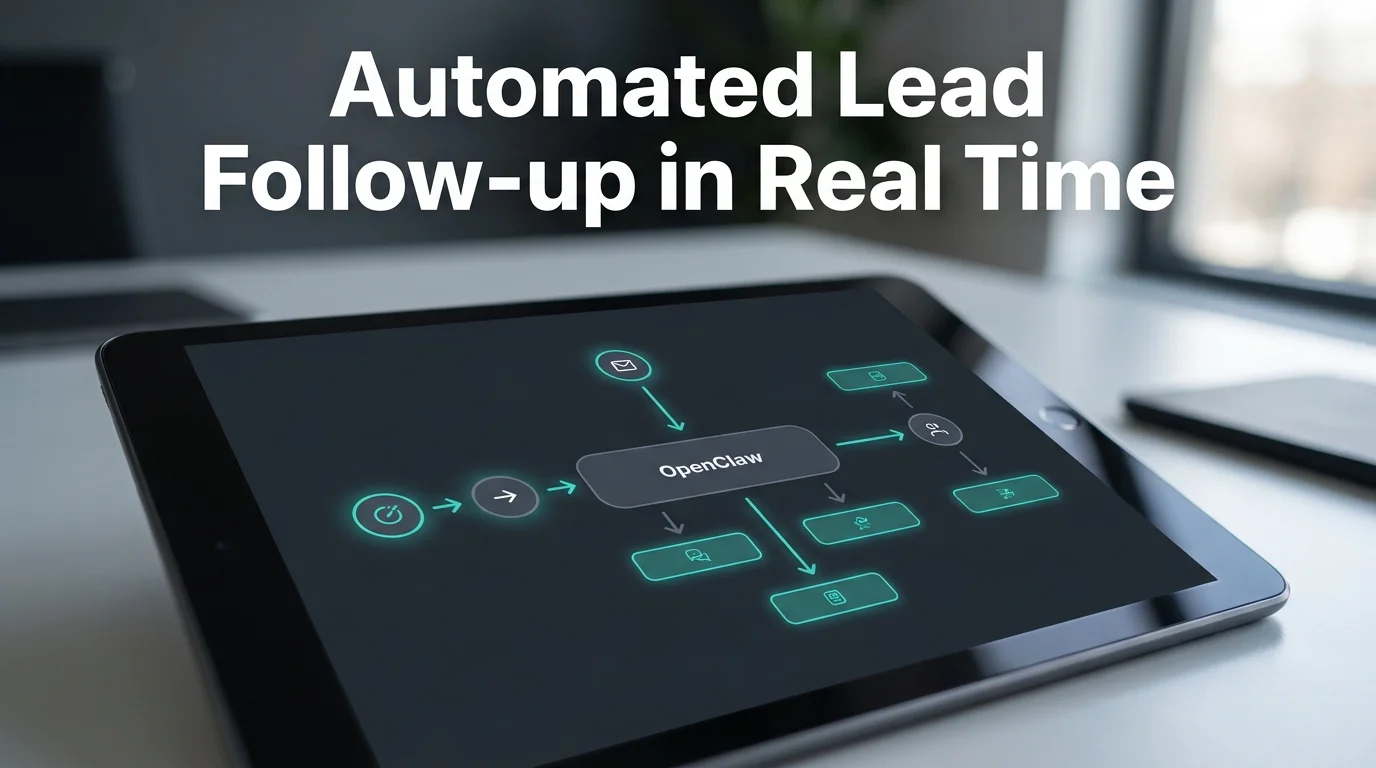 The dashboard view teams use to watch lead follow-up run in real time — no server console involved.
If lead follow-up, email sequences, or competitor tracking are the parts of your week eating the most time, OpenClaw's reasoning-based automation is built for exactly that. Setting it up doesn't require a developer or a server — get your OpenClaw instance running and connect your first channel in about five minutes.
For agencies weighing whether this is worth building into a service offering, our OpenClaw business opportunity breakdown lays out realistic earning timelines from teams already doing it.
Frequently Asked Questions About OpenClaw for Marketing
Is OpenClaw free to use for marketing automation?
The OpenClaw software itself is free and open source, but running it requires a server, Node.js setup, and your own AI model API costs, which add up for active marketing use. OpenClawHQ removes that by hosting a private instance for $49/month flat, including unlimited AI usage.
How much does OpenClaw cost for a marketing team sending high volume?
There's no separate charge tied to volume. OpenClawHQ's $49/month flat rate covers your private instance and unlimited AI usage, so a team sending hundreds of follow-ups a week pays the same as one sending a dozen — unlike token-billed alternatives.
Can OpenClaw replace an email marketing platform like Mailchimp or ActiveCampaign?
Not entirely — those platforms manage contact lists, campaign design, and deliverability infrastructure. OpenClaw handles the reasoning-based work around them: reading replies, sending contextual follow-ups, and flagging leads that need human attention, typically running alongside an existing platform rather than replacing it.
Does OpenClaw work with WhatsApp and Telegram for marketing outreach?
Yes. OpenClaw connects natively to WhatsApp, Telegram, Discord, Slack, and over 20 other messaging platforms. Marketing teams typically pick the channel where leads already message them, so replies and follow-ups happen inside a conversation the lead already opened.
Is OpenClaw better than Zapier for marketing automation?
They solve different problems. Zapier connects tools using fixed if-this-then-that rules, while OpenClaw reads the actual content of a message and reasons about how to respond. Teams often use both — Zapier for data movement, OpenClaw for the parts that need judgment.
Do I need coding skills to set up OpenClaw for marketing?
No. Self-hosting OpenClaw requires Node.js installation and CLI configuration, but OpenClawHQ handles that entirely — sign up, choose your messaging channel, and follow a guided web dashboard setup that takes about five minutes with no command line involved.