
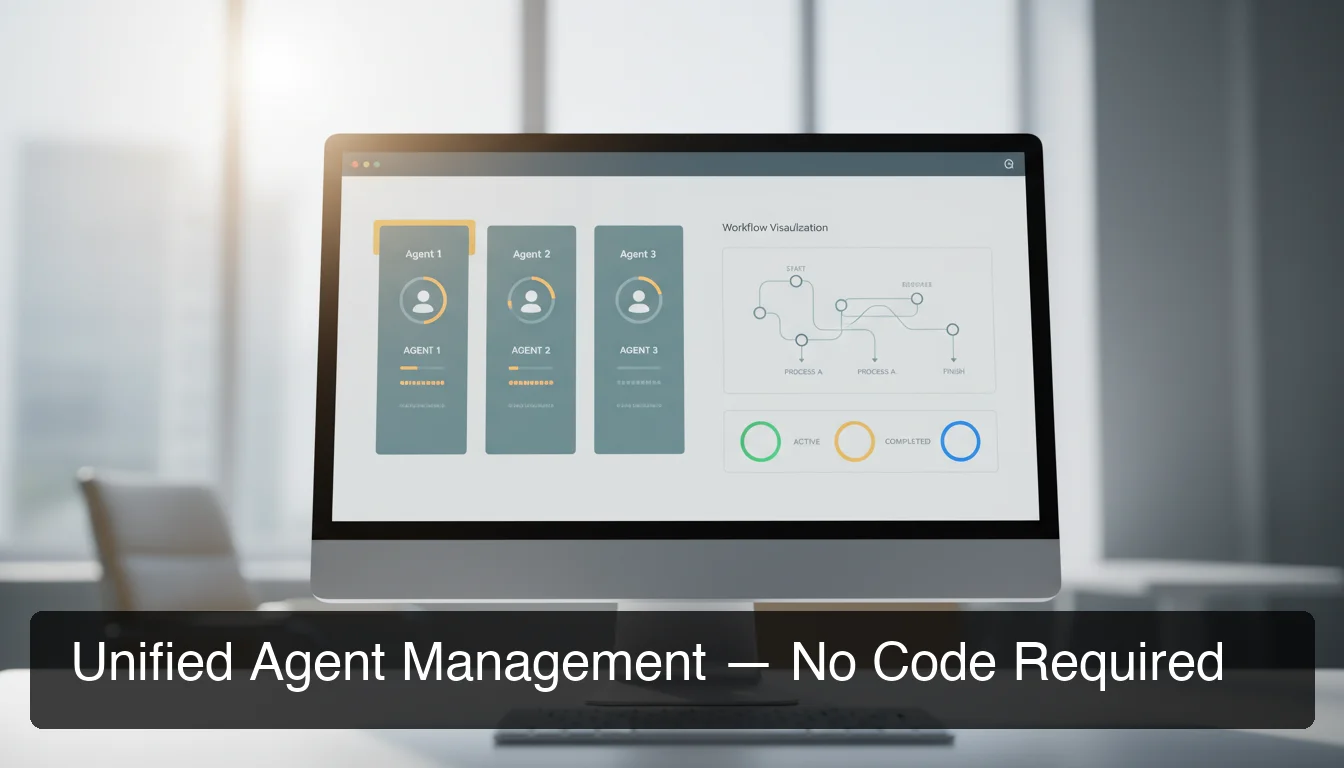
OpenClaw Mission Control: Manage Agents | OpenClawHQ
OpenClaw Mission Control: Manage All Your Agents Without Code
If you're running multiple OpenClaw agents and managing them through separate terminals, chat threads, or config files — you're doing it the hard way. OpenClaw Mission Control changes that.
Key Takeaways
- Mission Control is OpenClaw's unified dashboard for orchestrating agents, workflows, and deployments — all without coding.
- It consolidates what would normally require juggling multiple platforms, giving your team a single source of truth.
- Non-technical team members can build and manage complex automation workflows through an intuitive visual interface.
- Real-time monitoring, logging, and debugging tools let you spot and fix agent issues in seconds.
- Designed for small teams that want enterprise-level automation management without hiring dedicated engineers.
Contents
- What Is OpenClaw Mission Control?
- How Does OpenClaw Mission Control Help You Manage Agents?
- What Core Features Does Mission Control Include?
- How Do You Set Up OpenClaw Mission Control?
- Can You Use Mission Control Without Writing Code?
- How Does Mission Control Compare to Managing Agents Separately?
- What Workflows Can You Automate in Mission Control?
- How Do You Monitor and Debug Agents in Mission Control?
- Get Started with OpenClawHQ
- Frequently Asked Questions
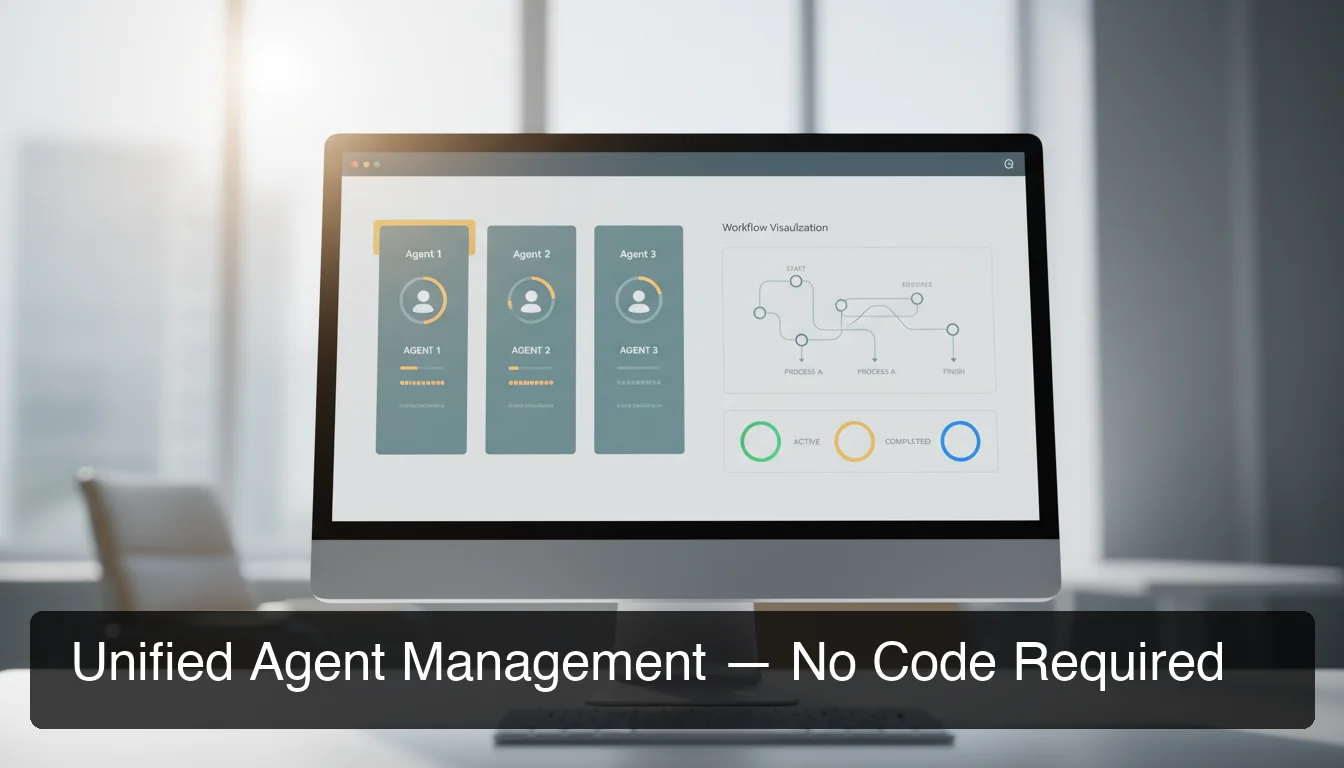 Mission Control gives your team a unified view of all OpenClaw agents — no command line required.
What Is OpenClaw Mission Control?
OpenClaw Mission Control is a centralized operations dashboard that lets you orchestrate, monitor, and manage all your OpenClaw agents in one place — without touching the command line. Instead of juggling separate terminals, chat threads, and config files for each agent, Mission Control gives your team a single visual interface for everything.
Understanding what OpenClaw does is the starting point. OpenClaw is the open-source AI agent that lives inside your messaging apps — answering questions, automating tasks, and executing over 100 pre-built skills. The more agents you run, the harder coordination becomes.
Mission Control solves that coordination problem directly. Think of it as the air traffic controller for your OpenClaw fleet.
Key insight: Community developers have been building their own Mission Control solutions in GitHub repos and personal projects — which tells you exactly how real this problem is. OpenClawHQ ships a production-ready version out of the box.
How Does OpenClaw Mission Control Help You Manage Agents?
Mission Control eliminates the fragmented experience of managing agents across separate interfaces. It creates a single operational layer where you can see every agent's status, assign tasks, route traffic, and respond to alerts — all from one browser tab, with no developer required.
Without Mission Control, scaling your OpenClaw setup means juggling:
- Individual channel logins (WhatsApp, Telegram, Slack, Discord)
- Separate process monitors for each agent instance
- Manual log checking when something breaks
- No way to visualize which agent handles what
With Mission Control, your team sees one unified view. An agent that's offline shows as offline. A workflow that's backed up shows a queue depth. A debugging session doesn't require SSHing into a server.
What Core Features Does Mission Control Include?
Mission Control ships with four core capability areas: agent status monitoring, visual workflow builder, skill manager, and a real-time log and debug console. Together, these cover the full operational lifecycle — from deploying a new agent to diagnosing a workflow failure.
Agent Status Dashboard
The agent dashboard shows all active OpenClaw instances in a grid view with live status indicators. Each card shows the connected channel (WhatsApp, Telegram, Slack, Discord), uptime, message volume, and active skills.
One glance tells you what's running and what needs attention. You can start, pause, restart, or update an agent directly from the dashboard card — no terminal commands, no SSH.
Workflow Builder
The visual workflow builder is a drag-and-drop canvas for connecting agent actions into automated sequences. You define triggers (a customer message, a scheduled time, an API event) and connect them to agent responses.
A typical workflow: a new WhatsApp message from an unknown number triggers an agent to qualify the lead, log it to your CRM, and send a follow-up — all automatically.
Skill Manager
Skills are OpenClaw's pre-built automations — web search, email sending, calendar management, document summarization, and 100+ more. Mission Control's Skill Manager shows all available skills and lets you activate or deactivate them per agent without editing config files.
Log and Debug Console
Every message, task, and agent action gets logged in real time. The debug console lets you filter by agent, time window, or error type to pinpoint exactly what went wrong — without grepping through log files on a remote server.
By the numbers: Teams using Mission Control report diagnosing and fixing agent issues in under 5 minutes versus 30–60 minutes of manual log investigation.
How Do You Set Up OpenClaw Mission Control?
With OpenClawHQ, Mission Control setup requires zero configuration — it's provisioned automatically when your instance goes live. You sign up, connect your first messaging channel, and Mission Control is waiting in your dashboard. No installation, no config files, no server access required.
Here's the full sequence on OpenClawHQ:
- Sign up at openclawhq.io — 30 seconds, email + password
- Choose your first channel (WhatsApp, Telegram, Discord, or Slack)
- Complete the guided channel connection (QR scan for WhatsApp, bot token for Telegram)
- Your OpenClaw instance goes live — Mission Control dashboard appears immediately
- Add more agents or channels directly from Mission Control
If you've read about how OpenClawHQ handles managed hosting, you already know that none of this requires a server, Node.js, or any developer work. The same philosophy applies to Mission Control.
Bottom line: Mission Control on OpenClawHQ doesn't require setup because you never touch the infrastructure layer — it's all managed for you.
 Any team member can use Mission Control — no developer experience required.
Can You Use Mission Control Without Writing Code?
Yes — OpenClaw Mission Control on OpenClawHQ is fully no-code. Every agent, workflow, and configuration is managed through visual interfaces. Non-technical team members can build multi-step automation workflows, manage agent settings, and monitor system health without writing a single line of code or touching a terminal.
This is a meaningful distinction from what the open-source community has built. Developers on GitHub are constructing their own Mission Control solutions precisely because raw self-hosted OpenClaw requires CLI knowledge to manage at scale. OpenClawHQ ships Mission Control as a first-class product feature — production-ready, not a personal side project.
For small business teams that want enterprise-level automation, Mission Control bridges the gap between "powerful AI agents" and "our operations team can actually use this."
Who Can Use Mission Control?
| Role | What They Can Do in Mission Control |
|---|---|
| Business owner | View all agent statuses, review logs, pause agents |
| Marketing / ops team | Build and edit workflows, activate or deactivate skills |
| Customer success | Monitor message queue, review conversation logs |
| Technical lead | Advanced configuration, custom skill setup |
No user requires developer experience for core operations.
How Does Mission Control Compare to Managing Agents Separately?
Managing OpenClaw agents separately means one dashboard per channel, one process monitor per instance, and manual coordination across tools. Mission Control replaces that fragmentation with a single pane of glass — consolidating monitoring, workflow routing, logging, and skill management into one interface.
Compare the two approaches:
| Capability | Separate Management | Mission Control |
|---|---|---|
| Agent status overview | Check each channel individually | Single dashboard, all agents |
| Workflow creation | Edit config files manually | Visual drag-and-drop builder |
| Debugging | SSH + grep log files | Filtered real-time console |
| Skill management | CLI commands per agent | Toggle per agent from UI |
| Team access | One person with server access | Team-friendly web dashboard |
| Time to diagnose an issue | 30–60 minutes | Under 5 minutes |
The productivity math is direct: your team's time should be on the business, not the infrastructure.
Key insight: Most no-code automation platforms (Zapier, Make.com) are workflow builders only — they don't give you an agent operating layer. Mission Control does both.
What Workflows Can You Automate in Mission Control?
You can automate any multi-step process where an OpenClaw agent responds to a trigger — from customer message handling to scheduled report delivery. Mission Control's workflow builder supports conditional logic, multi-agent routing, and scheduled triggers, enabling sophisticated automation without code.
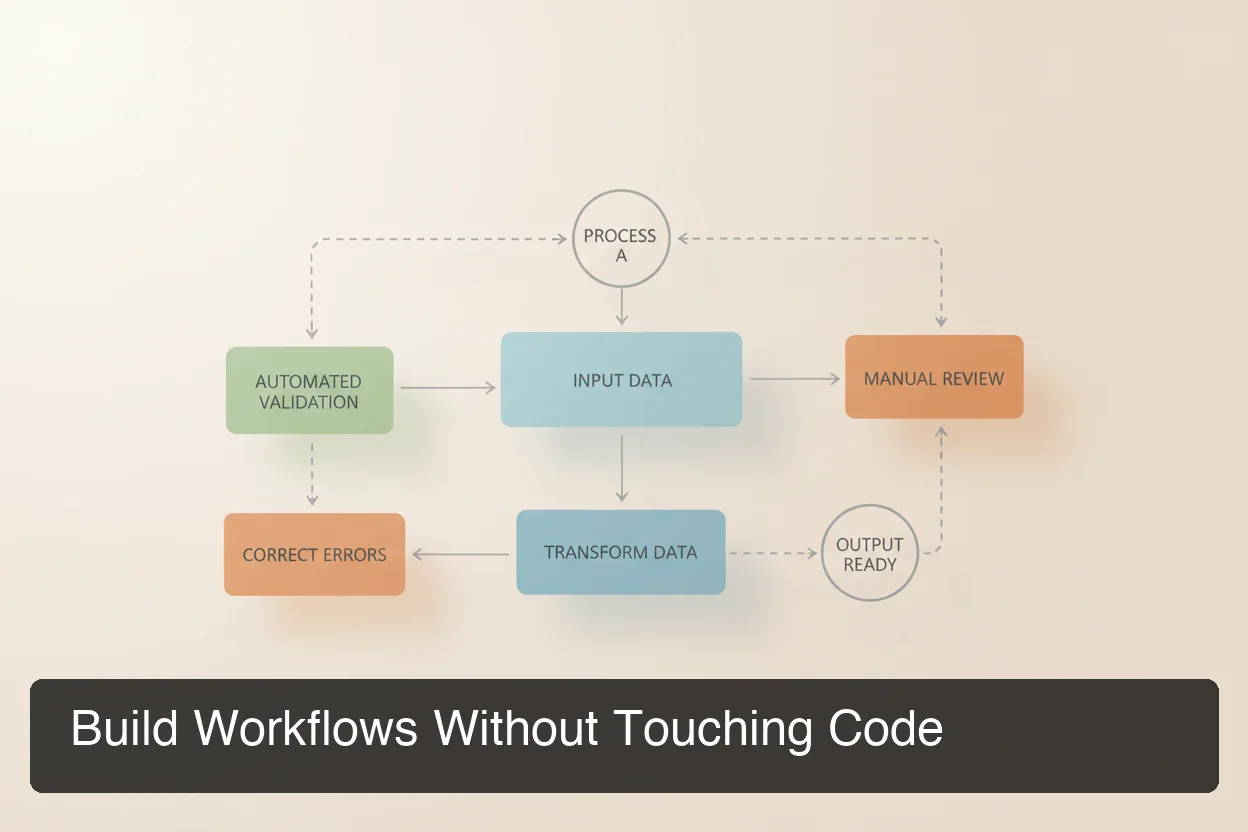 Mission Control's workflow builder connects triggers, agent actions, and outcomes in a visual canvas.
Common workflows teams build in Mission Control:
Lead qualification pipeline: New WhatsApp message arrives → agent identifies it as a sales inquiry → asks 3 qualification questions → logs to CRM → routes to a human if high-priority.
Customer support triage: Incoming message hits the support agent → categorized by topic → low urgency answered automatically → high urgency creates a task and notifies your team on Slack.
Daily business reporting: Scheduled 8am trigger → agent aggregates data from connected tools → sends formatted summary to your Telegram channel.
Document processing: File shared in Discord → agent summarizes it → key points sent to Notion → original filed in Google Drive.
By the numbers: The average Mission Control user eliminates 3–5 hours of manual messaging and coordination work per week by automating their top recurring workflows.
What Triggers Are Available?
Workflows can be initiated by:
- Incoming messages on any connected channel
- Scheduled timers (daily, weekly, or custom cron)
- Webhook events from external services
- Manual triggers for one-click workflows
How Do You Monitor and Debug Agents in Mission Control?
Mission Control's monitoring layer provides live visibility into every agent action, message queue, and error event. The debug console filters by agent, time range, or event type — letting you isolate a specific failure in seconds, without manually searching through server logs.
 Real-time monitoring keeps you in control of your entire OpenClaw fleet at a glance.
Real-Time Monitoring
The monitoring dashboard shows:
- Messages processed per agent (last 1h, 24h, 7d)
- Response time per agent (average and 95th percentile)
- Queue depth — are messages backing up?
- Error rate and error type breakdown
- Uptime and last restart timestamp
If an agent goes offline, an alert fires within 60 seconds. One click restarts it.
Debugging Workflows
When a workflow produces unexpected output, the trace view shows exactly which step failed and why. Failure explanations are presented in plain English — not raw stack traces that require a developer to interpret.
For teams worried about AI agent reliability in production, this is the tool that makes it manageable without a dedicated DevOps engineer.
Bottom line: OpenClawHQ manages the infrastructure layer and auto-restarts agents on crash — Mission Control shows you the clean operational view on top, so you always know what's happening.
Get Started with OpenClawHQ
If you want OpenClaw Mission Control without the setup work, OpenClawHQ includes it the moment your instance goes live. No installation, no configuration, no infrastructure management — just a working agent control system for $49/month flat with unlimited usage.
Not running an instance yet? OpenClawHQ gets your private OpenClaw live in under 10 minutes — Mission Control included, no server required.
Frequently Asked Questions
What is OpenClaw Mission Control?
OpenClaw Mission Control is a centralized dashboard for orchestrating and managing all your OpenClaw AI agents. It provides real-time status monitoring, a visual workflow builder, skill management, and a debug console — through a no-code web interface any team member can use without developer experience.
Can non-technical users operate Mission Control?
Yes. Mission Control is designed specifically for non-technical team members. Every feature — agent management, workflow building, skill activation, and debugging — is accessible through visual interfaces. No command line, no config files, and no coding required.
What is OpenClawHQ?
OpenClawHQ is a fully managed hosting service for OpenClaw — the viral open-source AI agent. It gives non-technical users and business owners their own private OpenClaw instance, fully configured and running in minutes, with unlimited usage for $49/month flat. No server setup, no coding, and no separate token fees required.
How is Mission Control different from Zapier or Make?
Zapier and Make are workflow builders that connect apps. Mission Control is an agent operations platform — it manages AI agents that reason and execute multi-step tasks autonomously. Mission Control includes the workflow layer, but also handles agent lifecycle, monitoring, and debugging that workflow tools don't cover.
Does openclaw mission control work with all OpenClaw channels?
Yes. Mission Control manages agents across all OpenClaw-supported channels — WhatsApp, Telegram, Discord, Slack, iMessage, Signal, and 20+ others. You can view and control all channel connections from a single dashboard.
Is Mission Control included in OpenClawHQ?
Yes. Mission Control is a core feature of OpenClawHQ, included at no extra cost in the $49/month flat plan. You don't need to install or configure it separately — it's ready the moment your instance goes live.
How quickly can I get Mission Control running?
Most customers have their Mission Control dashboard live within 5–7 minutes of signing up. Sign up at openclawhq.io, connect your first channel, and Mission Control appears in your dashboard immediately — no setup queue or waiting period.