
OpenClaw Browser Relay: Automate Web Tasks from Chat
OpenClaw Browser Relay: What It Is and How to Use It Without Any Setup
Every time you open a browser tab to research something your AI just mentioned, you're spending time that an AI agent could save. OpenClaw Browser Relay changes that — turning web browsing from a manual task into an automated capability you trigger from any messaging app.
Key Takeaways
- Browser Relay is OpenClaw's web automation feature — search the web, fetch data, fill forms — without writing any code
- It works inside any messaging app (WhatsApp, Telegram, Discord, Slack, iMessage) so you never leave the chat interface
- Activate it with a single toggle; no terminal, no API keys, no Chrome extension to configure
- OpenClawHQ delivers browser relay fully managed — sign up, activate it, and start using it within 5 minutes
- Eliminates hours of manual web research, form-filling, and data copy-pasting for business workflows
Contents
- What Is OpenClaw Browser Relay?
- How Does Browser Relay Let OpenClaw Access the Web?
- Why Would You Use Browser Relay Instead of Manual Web Tasks?
- How Do You Activate Browser Relay in OpenClaw?
- What Can OpenClaw Do on the Web with Browser Relay?
- Is OpenClaw Browser Relay Safe and Private?
- How Fast Is OpenClaw's Web Browsing Compared to Human Speed?
- Get Your OpenClaw Instance
- Frequently Asked Questions
 OpenClaw's Browser Relay turns your messaging app into a real-time web automation hub.
What Is OpenClaw Browser Relay?
OpenClaw Browser Relay is the feature that lets OpenClaw navigate websites, extract data, and fill forms on your behalf — all triggered from a chat message. Instead of switching apps and doing the research yourself, you tell OpenClaw what you need and it handles the browsing, returning results directly to your conversation.
It's one of OpenClaw's most powerful capabilities and the one that most clearly separates it from basic AI chatbots. A chatbot answers from training data. OpenClaw with Browser Relay actually goes to the live web and retrieves current information.
What Makes Browser Relay Different from Standard AI Web Search
Standard AI tools use pre-indexed knowledge — they know what existed at training time. Browser Relay gives OpenClaw live access: it navigates to any URL, interacts with dynamic pages, and extracts data that no search index has captured yet.
This is the difference between asking an AI "what is the current price of X?" and getting an outdated estimate — versus OpenClaw navigating to the product page right now and returning the live price.
Key insight: Browser Relay makes OpenClaw a real-time web agent, not just a knowledge tool — it can access pages, interact with forms, and return data from the live web on demand.
How Does Browser Relay Let OpenClaw Access the Web?
Browser Relay works through a Chrome DevTools Protocol (CDP) connection that links OpenClaw's AI engine to a controlled browser session. When you ask OpenClaw to browse something, it issues commands over this relay — telling the browser to navigate, click, read content, or fill fields — and the results flow back into your conversation.
The architecture involves three components working together:
- The OpenClaw agent — processes your chat message and decides what web actions to take
- The relay layer — a secure bridge that translates agent instructions into browser commands
- The controlled browser — an isolated Chromium session executing the actual page interactions
Why a Real Browser Engine, Not Simple HTTP Requests?
Pure HTTP requests can fetch HTML, but they fail on modern web apps. Pages built with React or Vue load content dynamically via JavaScript after the initial page load. Browser Relay uses a real Chromium engine, which renders pages fully — capturing everything a human user would see, including dynamically loaded content.
This means OpenClaw can interact with SaaS dashboards, booking interfaces, and dynamic listings that plain web scrapers miss entirely.
 Browser Relay creates a real-time data stream from the live web into your OpenClaw conversation.
Why Would You Use Browser Relay Instead of Manual Web Tasks?
Browser Relay solves the copy-paste loop that consumes business hours: find information online, copy it, paste it into a document or message, act on it. With Browser Relay active, you describe what you need in chat, OpenClaw retrieves it, and returns structured results you can immediately use — no tab switching, no manual extraction.
The use cases are clearest for repetitive research and data-entry workflows:
- Lead research: "Find the contact email and LinkedIn for these 10 companies" — OpenClaw visits each site and compiles results
- Competitor price monitoring: "Check current prices for these 5 products on [site]" — live data, not cached search results
- Form submissions: "Submit my contact details on this form" — OpenClaw fills and submits without you switching windows
- Content summarization: "Read this page and summarize the key points for my client proposal" — extract and write in one step
The Real Cost of Manual Web Research
Information retrieval — searching, reading, extracting — consumes 20-30% of knowledge worker hours. For a business owner managing leads, pricing, and client communications, those hours compound fast.
By the numbers: Browser Relay can complete a 20-page research task in under 3 minutes — work that would take a human 40-60 minutes of tab-switching, reading, and copy-pasting.
If you use OpenClaw on Slack, Browser Relay means your whole team triggers web lookups directly from the workspace. No one breaks their flow to open a new tab.
How Do You Activate Browser Relay in OpenClaw?
 OpenClawHQ's managed browser relay is a one-toggle activation — no Chrome extension to install, no token to verify.
With OpenClawHQ, activating Browser Relay takes under a minute. There's no Chrome extension to install manually, no relay token to pair, no port to configure. Log into your OpenClawHQ dashboard, go to Skills, and toggle Browser Relay on. Your dedicated instance handles the rest.
This is where OpenClawHQ fundamentally differs from the self-hosted setup. In the open-source version, enabling browser relay requires:
- Installing OpenClaw on a dedicated server running 24/7
- Configuring the relay host and binding it to a port
- Installing the Chrome extension via Developer Mode ("Load Unpacked")
- Pairing the extension with a relay token
- Keeping a browser window open on your machine at all times
That's a 30-60 minute process for a developer — and a complete wall for most business users.
OpenClawHQ Manages the Browser Session on Your Behalf
With OpenClawHQ, your browser relay runs in an isolated cloud environment tied to your private OpenClaw instance. You don't need Chrome open on your own computer.
The relay is always available — even when your laptop is off. Browser Relay works from your phone via WhatsApp, from Telegram on a tablet, from any device — because it runs on your instance's cloud infrastructure, not on your local machine.
Bottom line: OpenClawHQ eliminates every technical hurdle for Browser Relay. If you've tried and failed to configure it yourself, that's exactly why we built the managed service.
Your OpenClawHQ dashboard is where you manage all your OpenClaw settings — Browser Relay, skill activation, channel connections, and automation rules. A full walkthrough of the dashboard is coming in a separate guide.
If you're new to OpenClaw entirely, start with What Is OpenClaw? for the full picture of what the agent can do — then come back here once you have context on the platform.
What Can OpenClaw Do on the Web with Browser Relay?
With Browser Relay active, OpenClaw can navigate to any URL, interact with page elements, extract structured data, fill and submit forms, and return content directly to your chat. It handles both static and JavaScript-rendered pages, making it effective across modern web applications that simpler automation tools can't access.
Here's the breakdown by task type:
Data Retrieval Tasks
| Task Type | Example Command | What OpenClaw Returns |
|---|---|---|
| Research | "Find all published pricing on [site]" | Structured table of plans and prices |
| People lookup | "Get the team page contacts from [company.com]" | Names, roles, emails |
| Change monitoring | "Check if [page] updated since last week" | Changed vs unchanged + summary |
| News aggregation | "Get today's top 5 headlines from [publication]" | Titles, summaries, links |
Action and Automation Tasks
| Task Type | Example Command | What OpenClaw Does |
|---|---|---|
| Form fill | "Submit the contact form on [site] with my standard intro" | Fills all fields and submits |
| Appointment booking | "Book the first available slot on their scheduling page" | Navigates, selects time, confirms |
| Login + retrieve | "Check my order status — credentials saved in my notes" | Logs in, navigates to orders, returns status |
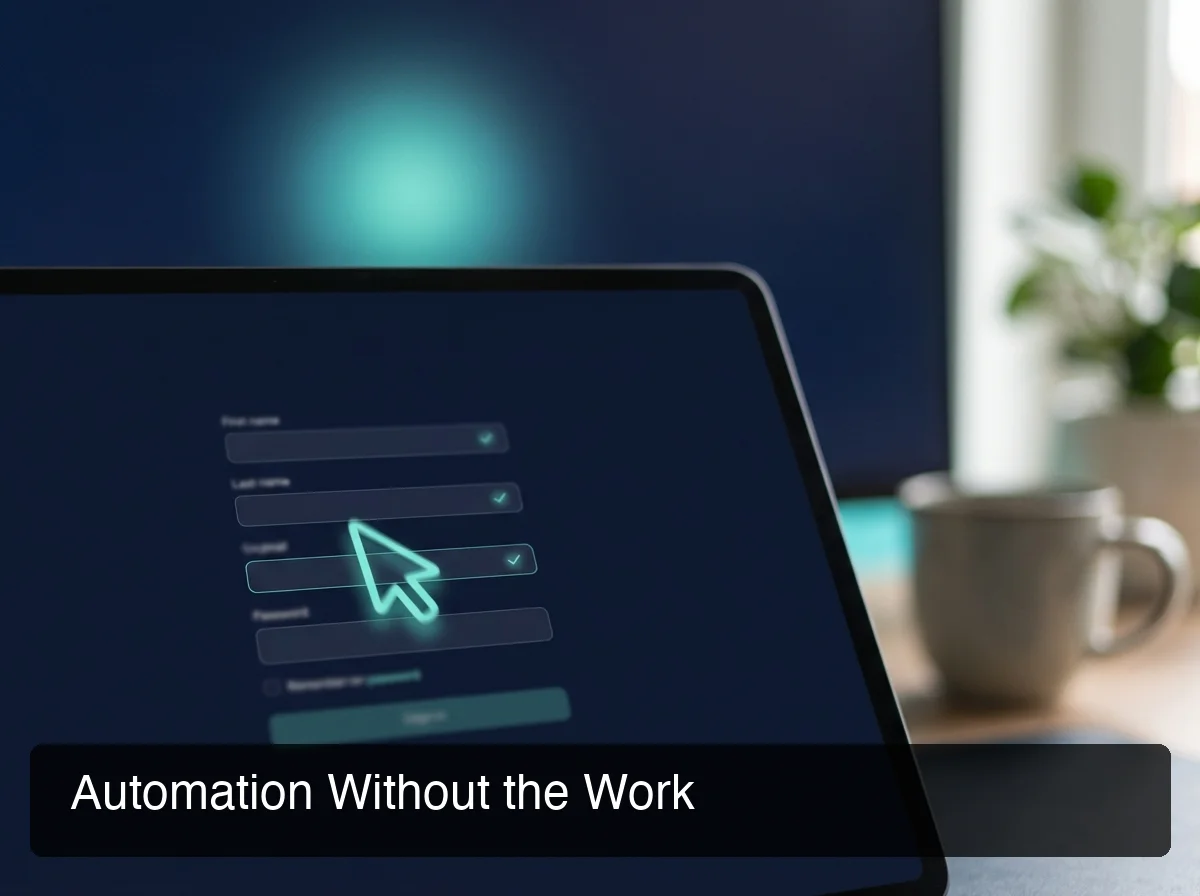 OpenClaw fills and submits web forms end-to-end — no tab switching, no copy-pasting required.
For small businesses using OpenClaw, browser relay is particularly high-value: automate lead form submissions, competitor price checks, and supplier inventory lookups — tasks that previously required dedicated staff time or expensive SaaS tools.
Browser Relay is one of 100+ skills you can activate in OpenClawHQ. An upcoming deep-dive on OpenClaw skills will cover the full library — but Browser Relay is consistently the most-used skill among active business users.
Is OpenClaw Browser Relay Safe and Private?
OpenClaw Browser Relay runs in an isolated Chromium session that is completely separate from your personal browser. Your personal cookies, saved passwords, browsing history, and open tabs are never accessible to the relay. OpenClawHQ adds a second layer: each customer's relay runs inside a dedicated private instance — sessions are never shared across users.
Key security properties:
- Browser isolation: The relay uses a dedicated Chromium profile, not your everyday Chrome. No cross-contamination between your personal browsing and agent activity.
- Credential handling: If you share credentials with OpenClaw for login-required pages, they're stored encrypted in your instance — inaccessible to other customers.
- Session scope: Browser Relay sessions are task-scoped by default. Each task starts fresh unless you configure persistent sessions explicitly.
- Data locality: Your instance's data — including browser session artifacts — is stored in isolated infrastructure, not a shared database.
Software Updates and Extension Compatibility
OpenClaw's browser relay has evolved through the project's rapid release cycle — some self-hosted users have encountered issues with version mismatches between the relay extension and the core agent as the project updated from 2025.x to 2026.x. With OpenClawHQ, all updates are managed automatically. Your relay stays compatible with your instance version, with zero action on your part.
How Fast Is OpenClaw's Web Browsing Compared to Human Speed?
OpenClaw with Browser Relay executes web tasks 10-20x faster than a human performing the same actions. For a task like checking 20 competitor product pages, a human needs 40-60 minutes of tab switching and note-taking. OpenClaw returns a complete structured summary in 2-4 minutes — no context switching, no typos, no missed rows.
The speed advantage compounds at scale:
| Task | Human Time | OpenClaw Time |
|---|---|---|
| Check 5 competitor pages | 8-12 min | Under 1 min |
| Research 20 company contacts | 60-90 min | 3-5 min |
| Submit 10 lead forms | 30-40 min | 4-6 min |
| Monitor 15 pricing pages | 45-60 min | 2-3 min |
Why Speed Changes How You Use Information
When research takes 90 minutes, you do it once a week and act on stale data. When it takes 3 minutes, you check it before every client call.
OpenClaw with Browser Relay doesn't just save time — it changes the cadence of how you make decisions. Live information, at the moment you need it, delivered in the chat interface you're already in.
Bottom line: The real value of Browser Relay isn't just hours recovered — it's decision quality from having live information at the exact moment you need it, without switching apps.
Get Your OpenClaw Instance
Browser Relay is one of the strongest reasons to run OpenClaw — and OpenClawHQ is the fastest way to get it working without any technical setup. No Chrome extension to configure, no relay token to pair, no server to maintain. Sign up and your Browser Relay is active within 5 minutes.
Frequently Asked Questions
What is OpenClaw Browser Relay?
OpenClaw Browser Relay is the feature that lets OpenClaw control a web browser — navigating URLs, extracting data, and filling forms — on behalf of users. It works via a Chrome DevTools Protocol (CDP) connection between OpenClaw's AI engine and a controlled browser session. Users trigger web tasks by chatting naturally in any connected messaging app.
Does browser relay work with WhatsApp and Telegram?
Yes. Browser Relay is triggered through chat messages in any app OpenClaw is connected to — WhatsApp, Telegram, Discord, Slack, iMessage, and 20+ others. With OpenClawHQ, the relay runs on cloud infrastructure, so it works from any device regardless of whether your personal computer is on or off.
How do I install the OpenClaw browser relay extension?
With OpenClawHQ, you don't install any Chrome extension manually — your Browser Relay is pre-configured and runs on your private instance's cloud infrastructure. Simply activate it in the dashboard under Skills. Self-hosted users install the extension via Chrome's Developer Mode "Load Unpacked" feature, using the path that OpenClaw outputs during setup.
Is OpenClaw's browser relay safe to use?
Yes. Browser Relay runs in an isolated Chromium session completely separate from your personal browser — no access to your personal cookies, saved passwords, or history. OpenClawHQ adds instance-level isolation: each customer's relay and session data is stored in a private dedicated environment, not a shared database or pool.
What is OpenClawHQ?
OpenClawHQ is a fully managed hosting service for OpenClaw — the viral open-source AI agent. It gives non-technical users and business owners their own private OpenClaw instance, fully configured and running in minutes, with unlimited usage for $49/month flat. No server setup, no coding, and no separate token fees required.
Can OpenClaw browser relay fill and submit web forms?
Yes. OpenClaw can navigate to any web form, fill in fields using information you provide in chat, and submit the form — returning a confirmation once complete. This works for contact forms, booking pages, quote requests, and most standard web forms. Login-protected forms are supported when you securely provide your credentials to the agent.