
OpenClaw Matrix: Setup in 5 Minutes, No Server | OpenClawHQ
OpenClaw Matrix: Run an AI Agent in Your Matrix Rooms Without Hosting a Server
Open any Matrix room for a small open-source project and you'll find the same chore repeating. Someone asks where the docs for a feature live, someone else wants last week's thread summarized, and a maintainer who'd rather be writing code answers both by hand.
An agent could take that load. The usual objection from Matrix people is fair: they chose this network to avoid handing control to someone else, so why would they bolt on a service they can't see into? That tension is the real story behind OpenClaw Matrix setups, and it shapes how to do this sensibly.
What Is Matrix and How Does OpenClaw Connect to It?
Matrix is an open, decentralized messaging network where people chat through any compatible client, such as Element, on servers they can choose or run themselves. OpenClaw connects to Matrix as one of its supported messaging channels, so the agent shows up in your rooms and replies like another participant.
OpenClaw is the open-source AI agent that lives inside chat apps. It lists Matrix beside WhatsApp, Telegram, Slack, Discord, Signal, Microsoft Teams and Mattermost among its channels. Same agent, same skills, different front door.
What changes from channel to channel is only the connection step. Each platform authenticates differently, and that's where self-hosters lose an afternoon. If you want the broader picture first, the OpenClaw hub guide explains how instances, channels and the dashboard fit together.
Why an OpenClaw Matrix Setup Raises Trust Questions
Matrix communities tend to have strong opinions about who holds the keys. Many run their own homeserver, and plenty chose the network precisely because no single company owns it.
So an AI agent has to earn its place. Three questions come up in nearly every room that considers one:
- Who runs the agent, and where does it live?
- What does it see? A bot in a room can read what that room says.
- What happens when it breaks at 3 a.m. and nobody owns the fix?
The honest answer to the second one matters. OpenClaw processes messages through an AI model provider, so treat any room where you add it as a room the agent can read. Put it in the rooms where that's acceptable and keep your sensitive channels bot-free.
Can I Run OpenClaw on Matrix Without a Server?
Yes. With OpenClawHQ, your OpenClaw instance runs on our infrastructure, not yours, so there's no VPS to rent, no Node.js to install, and no daemon to babysit. You connect your Matrix account through a web dashboard and the agent is live in your rooms.
Self-hosting is the other route, and it's a legitimate one. It means a machine that stays on around the clock, Node.js 24, a global npm install, the onboarding command openclaw onboard --install-daemon, Matrix-specific authentication, and regular updates when OpenClaw ships changes.
Developers do that for fun. Most people who just want the agent in a room don't.
Each OpenClawHQ customer gets an isolated, private instance. The connection is monitored and re-established automatically if it drops, which is the unglamorous part of bot ownership that tends to bite a month after launch.
What an OpenClaw Matrix Agent Can Do in Your Rooms
The agent isn't a command-matching bot. It reasons about a request, picks from 100+ pre-built skills, and carries out multi-step work.
In a Matrix room that looks like this:
- Research: search the web and report back with a summary
- Inbox and calendar: draft email replies, check your schedule, set reminders
- Files and documents: summarize a pasted document or organize files
- Recurring tasks: schedule follow-ups and nudges
You ask in plain English. There's no syntax to memorize, and the OpenClaw commands guide lists what's worth asking for.
The same skills work on every channel, so nothing is stripped down because you picked Matrix. If you'd like to see how other teams point this at real work, the OpenClaw use cases roundup is the place to browse.
 One agent, reachable from whichever device has your Matrix client open.
Is OpenClaw on Matrix Better Than Building a Bot from Scratch?
It depends on what you want to own. Writing your own Matrix bot gives you total control but also makes you responsible for authentication, reconnection, hosting, updates, and the AI logic itself. OpenClaw on a managed instance hands all of that off, leaving you to just use the agent.
Here's how the two paths compare:
| Custom Matrix bot | Self-hosted OpenClaw | OpenClawHQ | |
|---|---|---|---|
| Server to run | Yes | Yes (24/7) | No |
| Coding required | Yes | Command-line setup | None |
| AI model access | You build and pay | Your own API keys | Included |
| Skills out of the box | Only what you write | 100+ | 100+ |
| Updates and reconnects | You | You | Handled for you |
| Monthly cost | Hosting + API usage | Hosting + API usage | $49 flat |
A bespoke bot still wins in one case: you need behavior no existing skill offers and you have an engineer who wants to own it. For everyone else, rebuilding what already exists is the expensive option.
What the Cost Looks Like for Matrix Users
OpenClawHQ is $49 a month, flat. That covers your private instance, the Matrix connection, the infrastructure, and the AI model usage, with no per-token charges and no usage cap.
Most managed OpenClaw hosts split the bill in two: a hosting fee of roughly $9 to $45 a month, plus variable inference charges, or your own API keys on top. For an agent that's active in busy rooms, that second line is the unpredictable one. A flat price means the bill is the same in a quiet month and a busy one.
Reality check: the OpenClaw software is free, but the server, the setup time and the model usage are not. Flat pricing mostly buys you the absence of surprises.
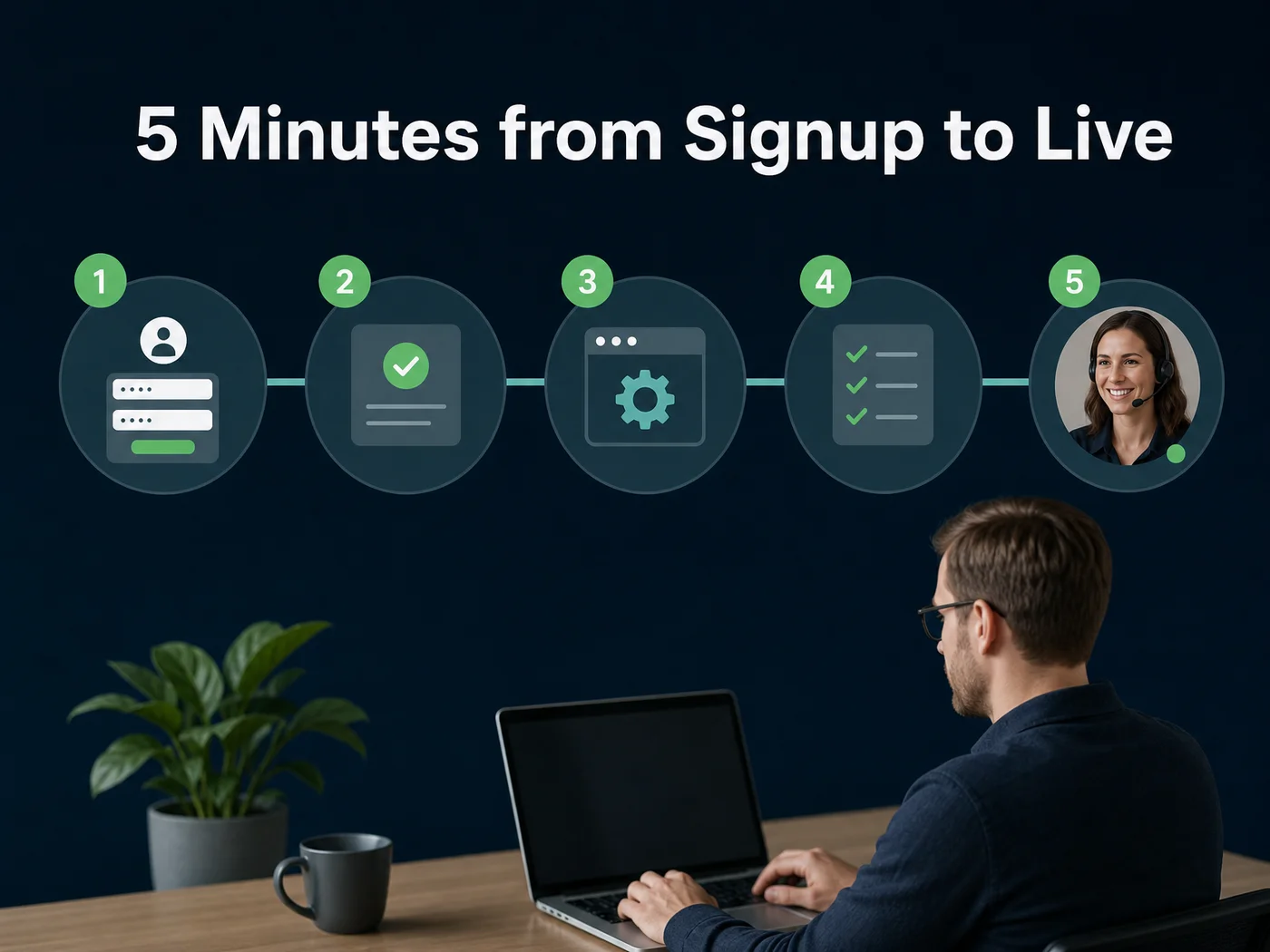 The OpenClawHQ path from signup to a live agent, no command line anywhere.
How to Get Started with OpenClaw on Matrix
Setup runs through the OpenClawHQ web dashboard and takes about five minutes from signup to a live agent. Matrix is one of the channels the guided wizard supports, and the wizard walks you through the Matrix-specific connection step. Here's the sequence:
- Sign up at openclawhq.io with an email and password. It takes about 30 seconds.
- Choose your plan. There's a single plan, $49 a month.
- Choose Matrix as your channel.
- Follow the guided setup. The wizard handles the connection for you. Channel setups on OpenClawHQ run roughly 3 to 7 minutes depending on the platform.
- Send a message. Say hello in your connected Matrix room and OpenClaw answers.
After that, switch on the skills you want from the dashboard. This is the same no-code path described in the OpenClaw no code guide, and nothing in it needs a terminal.
If your team also lives elsewhere, the process is the same on WhatsApp, Telegram and Microsoft Teams. Pick a channel, follow the wizard, send a message.
Quick Recap
Quick recap
- OpenClaw supports Matrix as a messaging channel, with the same 100+ skills as on any other platform.
- OpenClawHQ runs the instance for you, so there's no server, no Node.js and no coding.
- Setup takes about 5 minutes through the web dashboard, from signup to a live agent.
- $49 a month, flat, covers the instance, the Matrix connection and unlimited AI usage.
- Anything you add the agent to, it can read, so choose your rooms deliberately.
Get Started with OpenClawHQ
If the appeal of Matrix is staying in control of where you talk, the managed route still leaves you in control of which rooms the agent joins and which skills it uses. You just skip the maintenance.
FAQ
How long does it take to set up OpenClaw on Matrix?
About five minutes from signup to a live agent. You sign up, pick Matrix, and follow the guided setup in the OpenClawHQ web dashboard. Channel connections generally take three to seven minutes depending on the platform, and none of it involves a command line.
Do I need coding skills to connect OpenClaw to Matrix?
No. The whole process happens in a web dashboard with a guided wizard. You never open a terminal, install Node.js, or touch a configuration file. If you can sign up for a service and follow on-screen steps, you can connect OpenClaw to Matrix.
How much does OpenClaw cost for Matrix users?
OpenClawHQ costs $49 per month, flat. That price includes your private OpenClaw instance, the Matrix connection, infrastructure, and the AI model, with no token fees and no usage limits. You don't need your own OpenAI or Anthropic account.
What is OpenClawHQ?
OpenClawHQ is a managed hosting service for the open-source OpenClaw agent. We run a private instance for each customer, configured and live in minutes, with unlimited usage included. Customers don't set up servers, write code, or pay separate token fees.
Is OpenClawHQ safe to use?
Each customer gets an isolated instance, so conversations and settings aren't shared across accounts. We apply security updates automatically and don't sell or share conversation data. Messages are processed through the AI provider, so only add the agent to rooms where that's acceptable.