
OpenClawHQ Review: Features, Pricing & Honest Pros/Cons
OpenClawHQ Review: Features, Pricing & Honest Pros/Cons
If you've searched "openclawhq review" you've already noticed that most OpenClaw reviews focus on self-hosted setup headaches and security concerns. This review is different: it covers OpenClawHQ specifically — the managed hosting service that removes every barrier those reviewers complain about.
Key Takeaways
- OpenClawHQ is a fully managed hosting service for OpenClaw, delivering a private AI agent instance for $49/month flat with unlimited usage — no server, no coding, no token fees.
- Every major complaint about self-hosted OpenClaw (complex setup, maintenance burden, surprise API costs) disappears with OpenClawHQ's managed model.
- Core strengths: multi-channel deployment across 20+ messaging apps, 100+ pre-built skills, LLM inference included, and a guided 3–7 minute setup.
- OpenClawHQ's flat pricing beats KiloClaw's two-part billing and includes the LLM inference that BYOK competitors like MyClaw charge you separately.
- Best fit: non-technical business owners, agencies, and resellers who want OpenClaw running without the technical overhead.
Contents
- What Is OpenClawHQ and How Does It Work?
- What Are the Core Features of OpenClawHQ?
- How Much Does OpenClawHQ Cost?
- Is OpenClawHQ Safe and Reliable?
- OpenClawHQ Review: How Does It Compare to Competitors?
- OpenClawHQ Review: What Are the Pros and Cons?
- Why Agencies and Resellers Choose OpenClawHQ
- Get Started with OpenClawHQ
- Frequently Asked Questions
What Is OpenClawHQ and How Does It Work?
OpenClawHQ is a fully managed hosting service for OpenClaw — the viral open-source AI agent that runs inside WhatsApp, Telegram, Discord, Slack, iMessage, and 20+ messaging apps. You get your own private OpenClaw instance, fully configured and live within minutes, for $49/month flat with unlimited AI usage and zero technical setup required.
If you're new to the product, What Is OpenClawHQ? covers the full background. The short version: OpenClaw (originally called Clawdbot, briefly renamed Moltbot) is an open-source AI agent with 247,000+ GitHub stars. It acts as a personal AI employee inside your messaging apps — browsing the web, sending emails, managing files, answering questions, and executing 100+ pre-built automations called "skills."
The catch with self-hosting? You need Node.js 24, CLI configuration, a 24/7 dedicated server, channel authentication, and ongoing maintenance. Most non-technical users give up within 15 minutes.
OpenClawHQ removes every one of those barriers.
How the setup process actually works
Sign-up takes 30 seconds. You then follow a guided web wizard:
- Choose your messaging channel (WhatsApp, Telegram, Discord, Slack, or others)
- Complete a simple authentication step — QR scan for WhatsApp, Authorize button for Discord, bot token for Telegram
- Your private OpenClaw instance is live — send it a message to confirm
The whole process takes 3–7 minutes. No command line, no configuration files, no waiting in a setup queue.
 OpenClawHQ gets your private OpenClaw instance live in minutes — dashboard setup requires no technical knowledge.
Related: OpenClawHQ vs BlinkClaw: $49 Flat or $45 Capped?
What Are the Core Features of OpenClawHQ?
OpenClawHQ delivers a private, isolated OpenClaw instance with 100+ pre-built skills, multi-channel support across 20+ platforms, and fully managed infrastructure that includes LLM inference — all for $49/month. Unlike self-hosting or BYOK alternatives, you never configure, update, or monitor anything.
Multi-channel messaging deployment
OpenClaw connects to: WhatsApp, Telegram, Discord, Slack, iMessage, Signal, BlueBubbles, Microsoft Teams, Matrix, LINE, Mattermost, WeChat, Zalo, Twitch, and more. Your first channel is configured during onboarding; additional channels are added through the OpenClaw dashboard — your no-code control hub for managing everything from skills to channel connections.
100+ pre-built skills ready to activate
Skills are automations OpenClaw executes on command. Activation is as simple as saying "enable web search" in conversation. Available skills include:
- Web search and real-time summarization
- Email drafting and sending
- Calendar scheduling and reminders
- Document and PDF summarization
- Lead follow-up automation
- API calls and webhook triggers
Non-technical users activate skills by name. Technical users can write custom skills on the managed base.
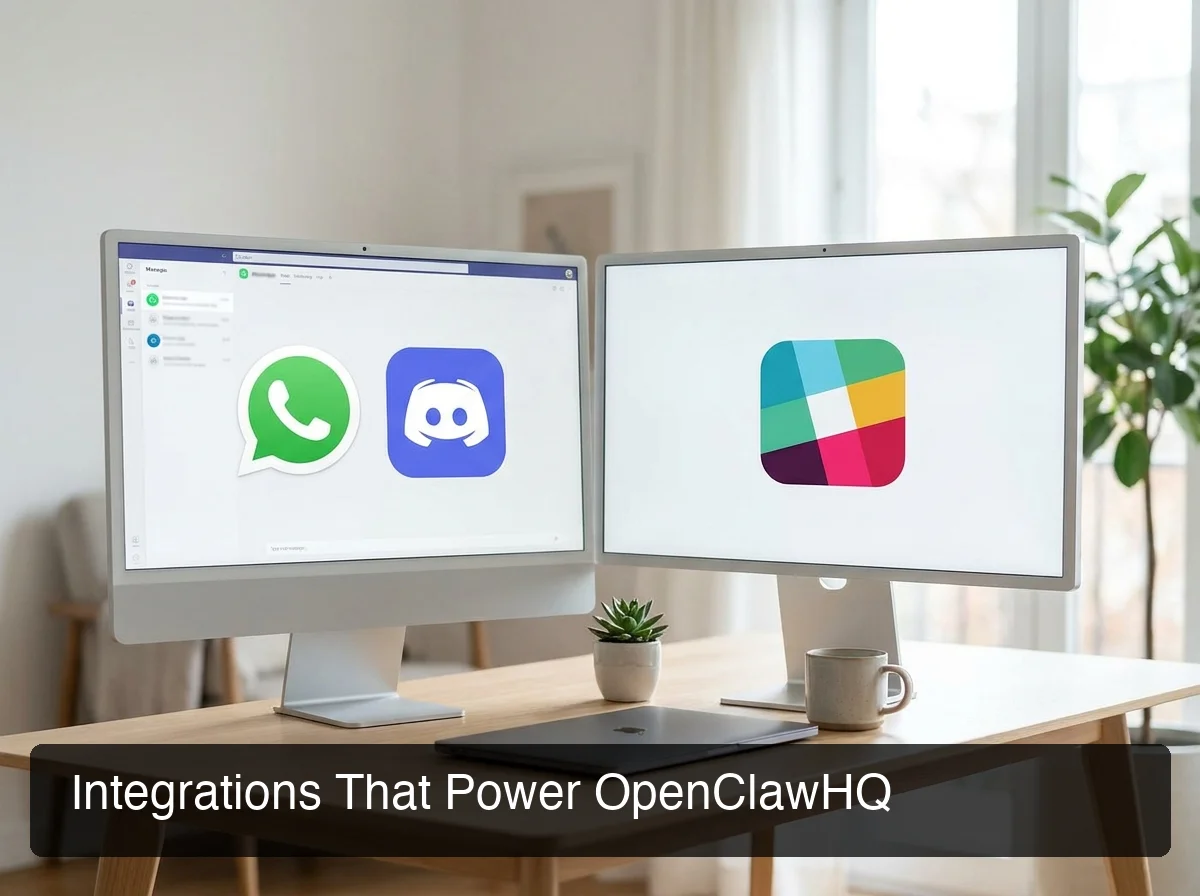 OpenClawHQ's multi-channel support means your AI agent runs across every messaging platform your business uses.
LLM inference included — no API keys needed
This is the feature most managed hosting services skip. Competitors like MyClaw and xCloud are BYOK (bring your own keys) — you provide OpenAI or Anthropic API keys and pay those inference costs on top of your hosting fee.
OpenClawHQ includes inference in the flat rate via a direct LLM provider partnership. No API keys, no token counting, no surprise AI bill each month.
Dedicated, isolated infrastructure per customer
Each customer gets their own isolated instance — not a shared multi-tenant environment. Conversations and configurations are stored separately. OpenClawHQ manages the Node.js daemon, auto-restart on crash, channel reconnection, and software updates automatically.
Key insight: The LLM-included model is what makes $49 flat genuinely competitive. When you factor in token costs that BYOK competitors pass to you, OpenClawHQ is often cheaper at any moderate-to-heavy business usage level.
How Much Does OpenClawHQ Cost?
OpenClawHQ costs $49/month flat — one plan, unlimited usage, no token fees, no per-message billing. Every other managed OpenClaw service uses two-part billing (hosting fee + inference fee), making total costs unpredictable for active business users. OpenClawHQ absorbs the inference cost entirely through its LLM provider partnership.
For the complete pricing walkthrough, see: Do I Need to Pay for OpenClaw? Pricing Breakdown.
Pricing comparison across managed OpenClaw services
| Service | Hosting Fee | Token / Inference Fee | Typical Monthly Total |
|---|---|---|---|
| KiloClaw | $9/mo | Per-inference via Kilo Gateway | $9 + variable (can exceed $30+) |
| xCloud / MyClaw | $16/mo | BYOK — you pay your own API costs | $16 + your API bills |
| Blink Claw | $45/mo | Included but capped | $45 (limited usage) |
| Hostinger VPS | $3.99–$9.99/mo | BYOK + setup effort required | VPS cost + full API bills + time |
| OpenClawHQ | $49/mo flat | Included, unlimited | $49 — always |
The breakeven point versus KiloClaw hits quickly once you're using OpenClaw for real business workflows — customer replies, lead follow-ups, daily automation. At that usage level, KiloClaw's variable gateway fees regularly push total costs above $30–40/month.
 One flat price versus variable billing — OpenClawHQ's pricing is built for businesses that use their AI agent daily.
By the numbers: KiloClaw's $9/mo hosting + token gateway can reach $30–40/mo at moderate business usage. At that point, OpenClawHQ's $49 flat is equal or cheaper — with zero billing surprises.
Is OpenClawHQ Safe and Reliable?
OpenClawHQ is safe for business use. Each customer gets an isolated private instance — conversations and data are never shared across accounts. Security patches are applied automatically, channel connections are monitored and auto-reconnected, and the platform does not sell or share customer conversation data.
The security concerns dominating self-hosted OpenClaw reviews are mostly about running an autonomous AI agent with local file system access on your own machine. OpenClawHQ's managed model doesn't expose your local machine — the instance runs on dedicated remote infrastructure, sandboxed from other customers.
What "isolated instance" means in practice
- Your conversations are not accessible by other customers
- Your messaging channel credentials are stored encrypted and used only for your instance
- Uptime, crash recovery, and security updates are handled by OpenClawHQ automatically
One caveat to keep in mind
OpenClaw is an autonomous AI agent — it can take actions. If you grant broad permissions (e.g., "send emails on my behalf"), it will act on them.
Reviewing which skills you've enabled and what access scopes you've granted is your responsibility. Managed hosting handles infrastructure security; your permission settings determine what the agent can do.
OpenClawHQ Review: How Does It Compare to Competitors?
In the managed OpenClaw market, OpenClawHQ is the only flat-rate unlimited option. KiloClaw offers a lower entry price but variable inference fees. MyClaw and xCloud are cheaper base hosting but BYOK — you pay separate LLM API costs. Blink Claw is all-inclusive but capped. For active business users, OpenClawHQ's model almost always wins on total monthly cost.
For a full head-to-head breakdown, see: KiloClaw vs OpenClawHQ: Which Managed OpenClaw Hosting Wins?
OpenClawHQ vs. self-hosting on a VPS
Self-hosting OpenClaw on Hostinger or DigitalOcean costs $4–10/month for the server — but configuration, updates, and LLM API costs are entirely your responsibility. At moderate usage, your self-hosting total (VPS + API costs + setup time) frequently exceeds $49/month. The ongoing maintenance burden isn't priced into those $4 VPS plans.
OpenClawHQ vs. general chatbot and automation platforms
Platforms like Zapier AI or WhatsApp chatbot builders are rules-based or workflow-based tools. OpenClaw is a full autonomous AI agent: it reasons through tasks, browses the web, executes multi-step sequences, and handles unpredictable queries. OpenClaw is significantly more capable — yet OpenClawHQ prices it at $49/month flat, competitive with basic chatbot subscriptions.
OpenClawHQ Review: What Are the Pros and Cons?
OpenClawHQ's biggest strengths are zero technical barrier, flat predictable pricing, and a complete managed experience for non-technical users. Its main limitations are a single pricing tier (no volume plans yet), no published enterprise compliance tiers, and it's overkill for teams that only need a simple FAQ bot.
Pros
- Zero technical barrier — guided web setup in 3–7 minutes, no CLI, no server configuration
- Flat unlimited pricing — $49/month covers everything, no token anxiety
- LLM included — no separate API key, no AI billing on top of your subscription
- 100+ pre-built skills — activate in conversation, no coding required
- 20+ messaging platforms — WhatsApp, Telegram, Discord, Slack, iMessage, and more
- Private isolated instance — your data never shared with other customers
- Zero maintenance — automatic updates, uptime monitoring, crash recovery handled for you
Cons
- One pricing tier — no volume discount or multi-instance plan yet (relevant if you need 5+ instances for an agency)
- Not designed for deep custom development — if you need full OpenClaw source-level customization, self-hosting gives you more control
- No published enterprise compliance tier — SOC 2 / HIPAA certification not listed; verify directly if this is a hard requirement
- Overkill for simple FAQ bots — if you need only basic scripted replies, a simpler chatbot tool may suffice
Bottom line: For non-technical business owners, agencies, and resellers who want OpenClaw without the technical headache, OpenClawHQ is the clearest path — especially given flat pricing versus the variable-billing model of every competitor.
Why Agencies and Resellers Choose OpenClawHQ
 Agencies deploy OpenClawHQ for clients across industries — managing AI agents without server overhead.
OpenClawHQ's managed model is particularly well-suited for agencies deploying AI services for multiple clients. You're not managing servers, debugging Node.js environments, or explaining variable token billing to a client who just wants their WhatsApp automated.
A real estate agency can deploy OpenClaw on WhatsApp for each agent — handling incoming lead inquiries automatically, qualifying prospects, and scheduling callbacks. A marketing agency can offer "AI-powered customer communication" as a service layer, powered by OpenClawHQ's backend. An AI freelancer can sell "OpenClaw setup and management" packages, using OpenClawHQ as the infrastructure and charging clients a service fee on top.
The managed hosting model means you can scale client deployments without scaling your own DevOps complexity.
For the full reseller opportunity breakdown, see: Can I Resell OpenClaw as a Business? The 2026 Agency Reseller Guide
Key insight: White-label and reseller potential makes OpenClawHQ a business infrastructure play, not just a personal productivity tool. The managed hosting model means you can offer OpenClaw to clients without becoming a DevOps engineer.
Get Started with OpenClawHQ
If you're a business owner, agency, or reseller who wants OpenClaw running without the technical overhead, OpenClawHQ removes every barrier: no server, no coding, no separate token fees. Your private instance is live in minutes.
Frequently Asked Questions
What is OpenClawHQ?
OpenClawHQ is a fully managed hosting service for OpenClaw — the viral open-source AI agent. It gives non-technical users and business owners their own private OpenClaw instance, fully configured and running in minutes, with unlimited usage for $49/month flat. No server setup, no coding, and no separate token fees required.
Is OpenClawHQ better than KiloClaw?
Both offer managed OpenClaw hosting, but OpenClawHQ is the flat-rate option: $49/month with no token fees and no usage limits. KiloClaw charges $9/month for hosting plus variable inference fees — the more you use, the more you pay. For active businesses, OpenClawHQ is almost always cheaper and more predictable.
Is OpenClaw free?
OpenClaw the software is free and open source, but running it requires a dedicated server, Node.js setup, ongoing maintenance, and separate AI model API payments. OpenClawHQ manages everything for $49/month flat, including unlimited AI usage — no hidden costs. Running OpenClaw properly costs either significant technical time or a managed service fee like OpenClawHQ.
Is OpenClawHQ safe to use?
Yes — each OpenClawHQ customer gets an isolated private instance, so your conversations and data are never shared with other customers. Security updates are managed automatically, and channel connections use standard API security protocols. OpenClawHQ does not sell or share customer conversation data.
What can I do with OpenClaw for my business?
OpenClaw acts as an AI employee inside your messaging apps (WhatsApp, Telegram, Discord, Slack, and 20+ others). It can answer customer questions automatically, follow up on leads, summarize documents, browse the web, send emails, and execute 100+ pre-built automations called "skills." OpenClawHQ delivers this fully configured for $49/month — no technical setup required.
How does OpenClawHQ compare to self-hosting OpenClaw?
Self-hosting OpenClaw requires installing Node.js 24, configuring the CLI, setting up a server that runs 24/7, authenticating your messaging channels, managing updates, and paying for your own AI model API usage separately. OpenClawHQ does all of this for you. You get your own private OpenClaw instance running in minutes, fully managed, for $49/month with unlimited usage.
Who should use OpenClawHQ?
OpenClawHQ is best for non-technical business owners, professional services teams (real estate agents, consultants, coaches), agencies, and resellers who want OpenClaw's power without technical setup. It's not the right fit for developers who prefer full server control or enterprises with strict compliance requirements.