
OpenClaw Managed vs Self-Hosted: Full Comparison
OpenClaw Managed vs Self Hosted: Which Deployment Is Right for You?
The openclaw managed vs self hosted decision shapes everything downstream — your monthly bill, your uptime, your maintenance burden, and how fast you actually start using it. This guide breaks down every real tradeoff so you can pick the right deployment model for your team.
Key Takeaways
- Managed OpenClaw eliminates infrastructure work — updates, scaling, and monitoring happen automatically for a flat monthly fee
- Self-hosted OpenClaw gives full control but requires Node.js 24, a 24/7 server, DevOps skills, and separate AI API costs
- The true cost of self-hosting includes server fees + LLM API bills + the developer hours spent on setup and maintenance
- Managed deployments are the smart default for non-technical teams and agencies prioritizing uptime over infrastructure control
- Most growing agencies start on managed hosting and migrate to self-hosted only when scale justifies dedicated DevOps investment
Contents
- What's the Difference in OpenClaw Managed vs Self Hosted Options?
- How Much Maintenance Does Self-Hosted OpenClaw Require?
- What Are the Security Differences Between Managed and Self-Hosted Deployments?
- How Do OpenClaw Managed vs Self Hosted Costs Actually Compare?
- Do You Need Dedicated DevOps Skills for Self-Hosted OpenClaw?
- Why OpenClaw Managed Hosting Simplifies Deployment
- Which OpenClaw Deployment Option Scales Better for Growing Teams?
- Can Small Agencies Use Self-Hosted OpenClaw Effectively?
- Is Managed OpenClaw Worth the Extra Cost?
- Get Your OpenClaw Instance
- Frequently Asked Questions
What's the Difference in OpenClaw Managed vs Self Hosted Options?
Managed OpenClaw means a third-party provider runs your OpenClaw instance on dedicated infrastructure — you sign up, configure your messaging channel, and it runs. Self-hosted OpenClaw means you install, configure, and maintain the software on your own server. Same powerful AI agent, two entirely different operational models.
OpenClaw the software is free and open source. But "free software" doesn't mean "free to run." The deployment decision is really this: do you want to own the infrastructure, or pay someone else to manage it?
 Managed and self-hosted OpenClaw differ fundamentally in who handles the infrastructure layer.
With managed OpenClaw, you never see a command line. Your provider handles Node.js installation, daemon management, software updates, LLM connectivity, and channel authentication — restarting it when it crashes and applying patches when they drop.
With self-hosted OpenClaw, you control everything — which server it runs on, which LLM model powers it, and when it gets updated. You also fix it when it breaks.
Key insight: The "control vs. convenience" framing misses the real tradeoff — it's infrastructure cost plus technical labor versus a fixed monthly fee.
How Much Maintenance Does Self-Hosted OpenClaw Require?
Self-hosted OpenClaw requires significant ongoing maintenance: Node.js version management, daemon monitoring, channel re-authentication, security patching, and LLM API key rotation. Realistically, expect 3-8 hours of setup upfront and 1-3 hours of maintenance per month per instance.
What the Initial Setup Involves
Running OpenClaw yourself requires:
- Install Node.js 24 specifically — version 22 and 26 will break the daemon
- Run
npm install -g openclawglobally on the server - Configure a 24/7 VPS with at least 1GB RAM (2GB recommended)
- Run the CLI onboarding wizard:
openclaw onboard --install-daemon - Authenticate each messaging channel separately (WhatsApp QR scan, Telegram BotFather token, Discord/Slack OAuth)
- Configure your LLM provider API keys and test the connection
Most non-technical users fail within the first 30 minutes. Even experienced developers report spending 2-4 hours on initial setup.
 Self-hosted OpenClaw gives you root-level control — but requires the technical resources to manage it.
What Ongoing Maintenance Looks Like
After launch, self-hosted OpenClaw needs regular attention:
- Software updates: OpenClaw has 247,000+ GitHub stars and a fast release cadence. Each update requires a manual pull, rebuild, and daemon restart.
- Channel reconnection: WhatsApp sessions expire and need re-scanning. Auth tokens rotate regularly.
- Node.js version pinning: Maintaining a pinned runtime on shared servers becomes a headache as the ecosystem updates.
- Monitoring: If the daemon crashes, nobody knows until someone notices it's not responding. You need an external uptime monitor.
By the numbers: A DevOps engineer costs $85-$150/hour. Even 2 hours/month of maintenance equals $170-$300/month in labor — often more than the total cost of managed hosting.
What Are the Security Differences Between Managed and Self-Hosted Deployments?
Managed OpenClaw providers handle security patching automatically. Self-hosted deployments put full security responsibility on you — unpatched vulnerabilities, exposed API keys, and misconfigured server access are your problems to find and fix.
Managed Security Model
With managed hosting, your provider:
- Applies security patches within 24-48 hours of OpenClaw releases
- Runs instances in isolated containers — your data doesn't touch other customers' environments
- Manages LLM API key security for providers where keys are bundled
- Handles TLS/SSL for any web-facing components
Self-Hosted Security Considerations
When you self-host, your attack surface includes your VPS configuration (open ports, SSH keys, firewall rules), your LLM API keys stored in config files, and OpenClaw's process-level access to your server — it can browse the web, manage files, and call APIs.
For most businesses, the security burden of self-hosting is severely underestimated. A compromised server means your entire OpenClaw instance and every integration it touches is compromised.
How Do OpenClaw Managed vs Self Hosted Costs Actually Compare?
Self-hosting OpenClaw appears cheap at $4-$20/month for a VPS. Add LLM API costs ($20-$100+/month for active business use) and the true monthly total often matches or exceeds managed hosting. OpenClawHQ charges $49/month flat — infrastructure, LLM usage, and maintenance all included.
The real pricing picture:
| Factor | Managed (OpenClawHQ) | Self-Hosted (VPS) |
|---|---|---|
| Infrastructure cost | Included | $4–$20/month |
| LLM API costs | Included, unlimited | $20–$100+/month (BYOK) |
| Setup labor | 0 hours | 2-4 hours upfront |
| Ongoing maintenance | 0 hours | 1-3 hours/month |
| Monitoring tools | Included | $5–$20/month |
| Typical monthly total | $49 flat | $50–$160+ (variable) |
Most managed OpenClaw competitors don't include LLM usage in their pricing. KiloClaw charges $9/month hosting plus variable per-inference fees through their token gateway; xCloud charges $16/month but requires your own API keys. The "cheaper" managed options consistently hide costs elsewhere.
For a full breakdown of how managed services stack up, see our OpenClaw pricing comparison.
Bottom line: Self-hosting is only genuinely cheaper at high scale — when you're running multiple instances and have a full-time DevOps engineer already on staff.
Do You Need Dedicated DevOps Skills for Self-Hosted OpenClaw?
Yes. Effective self-hosting of OpenClaw requires Linux server administration, Node.js runtime management, process monitoring via systemd or pm2, and basic shell scripting. Teams without these skills in-house either hire externally or accept significant downtime risk.
This is the most underestimated barrier. The GitHub README makes self-hosting look straightforward. But "straightforward" assumes you can:
- SSH into a Linux server and navigate the file system
- Configure systemd services or use pm2 for process management
- Debug Node.js dependency conflicts
- Manage environment variables and secrets files securely
- Monitor a running process and diagnose why it stopped
If your team doesn't have these skills, self-hosting OpenClaw isn't a cost-saving move — it's a support problem waiting to happen. For agencies without a DevOps hire, managed OpenClaw hosting eliminates the skills prerequisite entirely.
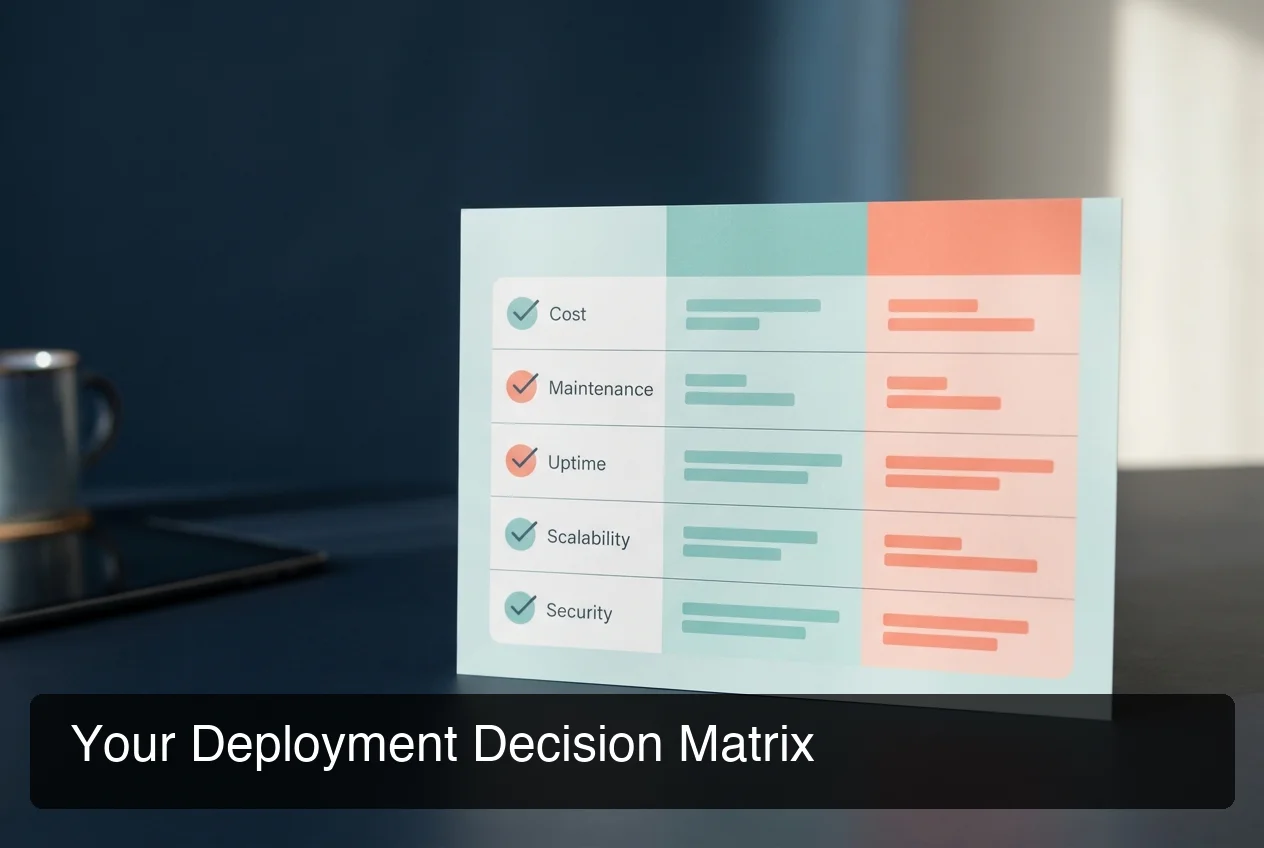 The deployment decision matrix: evaluate each factor against your team's actual capabilities.
Why OpenClaw Managed Hosting Simplifies Deployment
Managed OpenClaw hosting reduces deployment to three steps: sign up, choose your messaging channel, and connect it. No server provisioning, no Node.js installation, no API key configuration. For non-technical teams, this is the only path to reliably running OpenClaw long-term.
OpenClawHQ is built on this principle. For $49/month flat, you get a private OpenClaw instance — configured and running in under 7 minutes through a web-based wizard, with no command line ever required.
 OpenClawHQ handles the entire infrastructure layer — your instance is live in minutes.
What Gets Abstracted Away
Managed hosting eliminates the entire infrastructure layer:
- LLM provider: No OpenAI or Anthropic account needed — inference is bundled at a flat cost
- Server management: Dedicated infrastructure per customer, fully managed by the provider
- Software updates: Applied automatically, no manual pulls or daemon restarts
- Monitoring: Uptime monitoring and auto-restart are built in
- Channel maintenance: Session reconnections handled automatically when tokens expire
For agencies managing OpenClaw for clients, or teams that want the AI agent running without a dedicated technical resource, managed hosting is the only viable model. A future white-label managed OpenClaw option will make this even more accessible for reseller businesses.
Which OpenClaw Deployment Option Scales Better for Growing Teams?
Managed OpenClaw scales without infrastructure work — you add instances through a dashboard. Self-hosted scaling requires provisioning additional servers, configuring each instance, and managing multiple daemon processes. For teams adding clients rapidly, managed hosting scales with significantly less friction.
Scaling on Managed vs. Self-Hosted
With managed hosting, scaling means adding an instance in the provider dashboard. The provider handles new infrastructure, software deployment, channel connectivity, and monitoring.
With self-hosted, each new OpenClaw instance is a new server to provision, configure, and monitor. If you're running OpenClaw for 10 clients, that's 10 VPS instances, 10 sets of API keys, and 10 maintenance windows per update cycle.
Teams growing toward a managed hub for multiple clients should factor infrastructure model into their profitability calculations from day one.
Can Small Agencies Use Self-Hosted OpenClaw Effectively?
Small agencies can self-host OpenClaw, but it's rarely worth the operational overhead without dedicated DevOps staff. The economics favor managed hosting for agencies under 5 client instances. Self-hosting becomes cost-effective only when scale and in-house infrastructure expertise align.
The numbers by scenario:
| Scenario | Managed (OpenClawHQ) | Self-Hosted (VPS + API) |
|---|---|---|
| 1 client instance | $49/month | ~$55–$75/month |
| 3 client instances | $147/month | ~$110–$160/month |
| 5+ instances | $245/month | ~$130–$200/month + DevOps |
| DevOps staff needed? | No | Yes |
Self-hosting becomes economically viable at roughly 5-7 instances — and only if you have someone who can manage the infrastructure without contracting it out. For most small agencies starting out, managed OpenClaw is the faster path to delivering value to clients.
Starting with managed and migrating to self-hosted later is the natural growth trajectory. For readers exploring the do i need a subscription for openclaw question — the software is free but the infrastructure and API costs make a managed subscription the pragmatic choice for active business use.
Is Managed OpenClaw Worth the Extra Cost?
For non-technical teams and agencies without DevOps staff, managed OpenClaw is almost always worth the cost premium. Developer time erases the price difference — 2 hours/month of DevOps labor at $85/hour costs more than most managed subscriptions.
Use this framework to decide:
Choose managed OpenClaw if you:
- Don't have Linux server administration experience
- Want OpenClaw live in minutes, not hours
- Can't dedicate someone to uptime monitoring and patching
- Are running OpenClaw for clients and need reliable uptime
- Want unlimited AI usage without tracking token consumption
Choose self-hosted OpenClaw if you:
- Have dedicated DevOps staff (or are an experienced developer)
- Need custom LLM configurations beyond standard providers
- Are running 5+ instances where infrastructure economies of scale apply
- Require full data residency control in a specific jurisdiction
- Want to write custom OpenClaw skills and need root-level access
For most decision-makers searching "openclaw managed vs self hosted," managed hosting is the right answer today. Self-hosting is a valid long-term optimization — but only after you've validated the use case and justified the operational investment.
For readers wanting a deeper product overview before committing, see our OpenClawHQ review.
Bottom line: The question isn't "which is cheaper?" — it's "what's the true cost of your team's time?" For most businesses, managed wins on total cost of ownership.
Get Your OpenClaw Instance
OpenClaw is genuinely powerful, but self-hosting creates a wall that stops most teams before they experience the value. OpenClawHQ removes that wall — your private OpenClaw instance, configured and running in under 7 minutes, for $49/month flat. No server, no API keys, no DevOps required.
Not ready to commit? Start for $49/month — No Setup Required and cancel anytime.
Frequently Asked Questions
What is OpenClawHQ vs. self-hosting OpenClaw?
Self-hosting OpenClaw requires installing Node.js 24, configuring the CLI, setting up a server that runs 24/7, authenticating your messaging channels, managing updates, and paying for your own AI model API usage separately. OpenClawHQ does all of this for you. You get your own private OpenClaw instance running in minutes, fully managed, for $49/month with unlimited usage.
Is self-hosted OpenClaw actually cheaper than managed?
Not reliably. Self-hosting requires a VPS ($4-$20/month) plus LLM API costs ($20-$100+/month for active use) plus setup and maintenance time. Total monthly cost typically runs $50-$160+ and varies unpredictably — OpenClawHQ charges $49/month flat with infrastructure, unlimited AI inference, updates, and monitoring all included.
How much technical knowledge is needed for self-hosted OpenClaw?
Running self-hosted OpenClaw requires Linux server administration, Node.js runtime management, and comfort with shell scripting and process monitoring tools like pm2 or systemd. Without these skills, expect significant setup friction, recurring maintenance issues, and unplanned downtime.
Can I switch from self-hosted to managed OpenClaw later?
Yes. Most managed providers let you migrate — skills, channel configurations, and settings transfer to the new environment. The main migration task is re-authenticating your messaging channels in the managed dashboard.
What is OpenClawHQ?
OpenClawHQ is a fully managed hosting service for OpenClaw — the viral open-source AI agent. It gives non-technical users and business owners their own private OpenClaw instance, fully configured and running in minutes, with unlimited usage for $49/month flat. No server setup, no coding, and no separate token fees required.
Is OpenClawHQ better than KiloClaw?
Both offer managed OpenClaw hosting, but with one key difference: flat unlimited pricing. KiloClaw charges $9/month for hosting plus variable inference fees through their token gateway — the more you use, the more you pay. OpenClawHQ charges $49/month flat with no token fees and no usage limits, making it almost always cheaper for active businesses.
Which deployment is better for agencies managing multiple clients?
Small agencies (under 5 client instances) are typically better served by managed OpenClaw. The operational overhead of self-hosting — server management, updates, monitoring — requires dedicated DevOps support most small agencies don't have. At 5+ instances with in-house infrastructure expertise, self-hosted may become cost-effective.