
OpenClawHQ for WhatsApp: Live in 5 Minutes, $49 Flat
OpenClawHQ for WhatsApp: Live in 5 Minutes, $49 Flat
A customer messages your business number at 2am. Is the order shipped? Are you open Sunday? By the time you reply at 8, they have asked a competitor.
That gap is what OpenClawHQ for WhatsApp closes. It puts an OpenClaw agent on your WhatsApp, fully hosted, so replies go out while you sleep. OpenClawHQ is the managed service behind it, and this piece covers how it works, what it costs, and where it fits.
What Is OpenClawHQ for WhatsApp?
OpenClawHQ for WhatsApp is a managed OpenClaw agent connected to your WhatsApp. We run the server, the software and the AI model. You scan one QR code, and the agent starts replying to the messages your customers send. The price is $49 a month, flat.
OpenClaw itself is free, open-source software. It is also an agent, not a rules-based chatbot: it can look things up, send emails and run any of 100+ pre-built skills, all from inside a chat thread.
The catch is running it. We handle that part, so you never touch a server.
How Do I Set Up OpenClaw on WhatsApp with OpenClawHQ?
Setting up OpenClaw on WhatsApp with OpenClawHQ takes five steps and roughly three to seven minutes. You sign up, pick WhatsApp as your channel, scan a QR code in the web dashboard, authorize the connection, and your agent goes live. No command line is involved at any point.
- Sign up at openclawhq.io with an email and password. About 30 seconds.
- Choose your plan. There is one: $49 a month, flat.
- Pick WhatsApp as the channel to connect first.
- Scan the QR code shown in the guided setup, from the WhatsApp app on your phone.
- Send a test message. OpenClaw answers, and the instance is live.
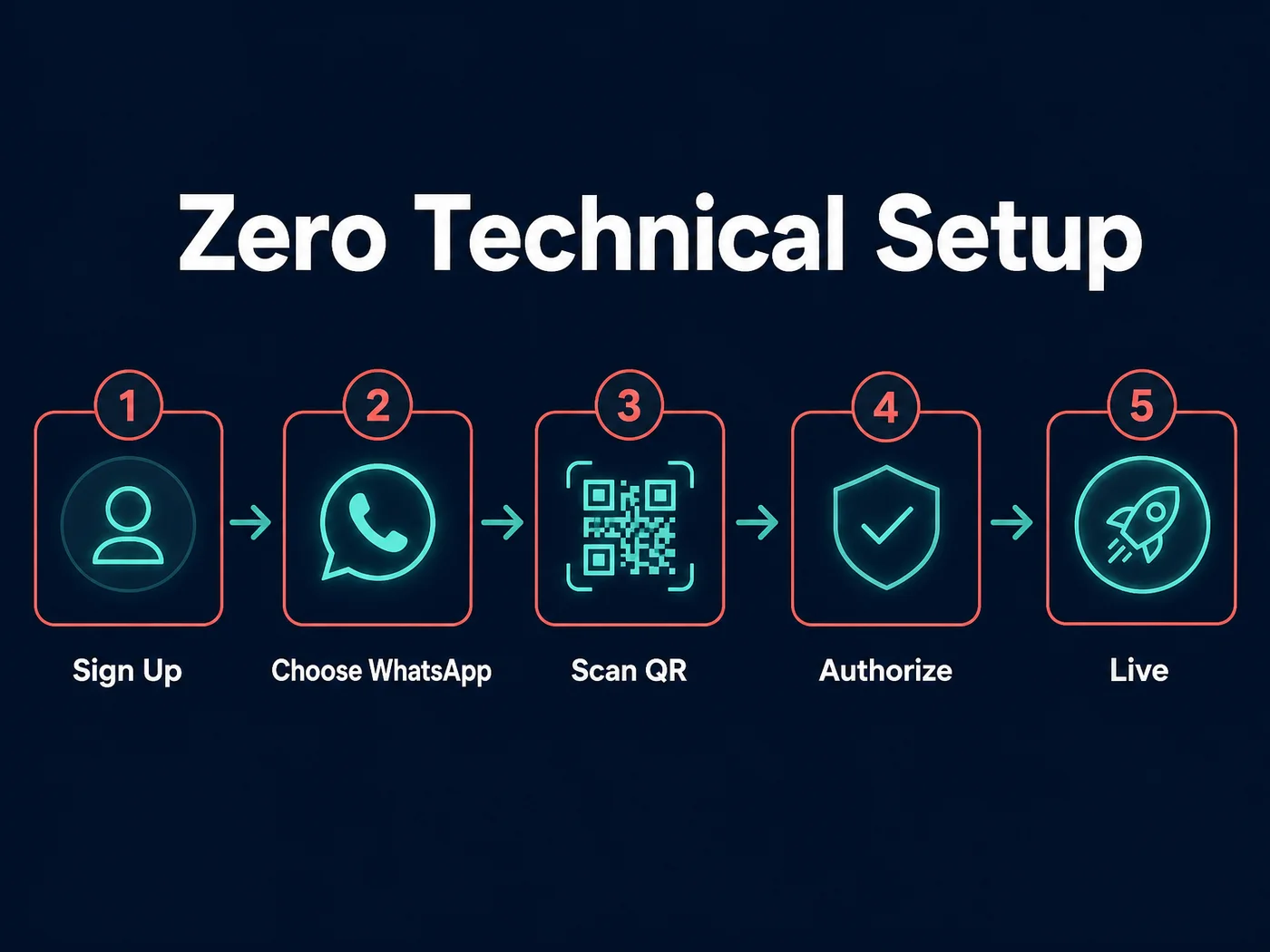 The five-step flow, all inside a web dashboard.
After that, you activate skills from the same dashboard: web search, email, calendar and the rest. Channel connections are maintained for you, and if one drops, we reconnect it.
What OpenClawHQ Can Automate on WhatsApp
On WhatsApp, OpenClaw can answer customer questions, qualify new leads, follow up on quotes, schedule tasks and run other skills from its 100+ library. It acts on the message in front of it instead of matching keywords, so the same agent handles a pricing question and a rescheduling request.
Think about what lands in a business inbox on an ordinary day.
- "Is my order on its way?"
- "What are your hours this week?"
- "Can you quote me for next Thursday?"
- "Do you cover my area?"
Each is a small task that eats a few minutes of your attention. An agent that answers these, and passes on the ones that need a person, hands you that time back.
A restaurant, for example, lives on exactly this traffic: bookings, menu questions, opening hours. We wrote up that case in OpenClaw for restaurants. Trades, agents and consultants have the same pattern with different questions.
Worth knowing: OpenClaw is an agent, so it can do more than reply. If all you want is a canned FAQ bot, it is probably more tool than you need.
Why Self-Hosting OpenClaw on WhatsApp Is the Harder Road
Self-hosting OpenClaw on WhatsApp means installing Node.js 24, running the command-line onboarding wizard, keeping a machine online around the clock, handling updates, and paying an AI provider for usage. OpenClawHQ does all of that for you and bills one flat fee.
Self-hosting is a fair choice if you are a developer who wants full control. Our OpenClaw install breakdown walks through the effort honestly. For a general view of the DIY route, there is also our OpenClaw WhatsApp guide.
Most business owners just want the messages answered. Here is the difference side by side.
| Self-hosted | OpenClawHQ | |
|---|---|---|
| Server or VPS | You rent and maintain it | Included, private instance |
| Software setup | Node.js 24, npm, CLI wizard | None, web dashboard |
| WhatsApp link | QR scan via the command line | QR scan in the dashboard |
| Updates and restarts | You handle them | We handle them |
| AI model access | Your own API account and bills | Included |
| Monthly cost | VPS plus variable API fees | $49 flat |
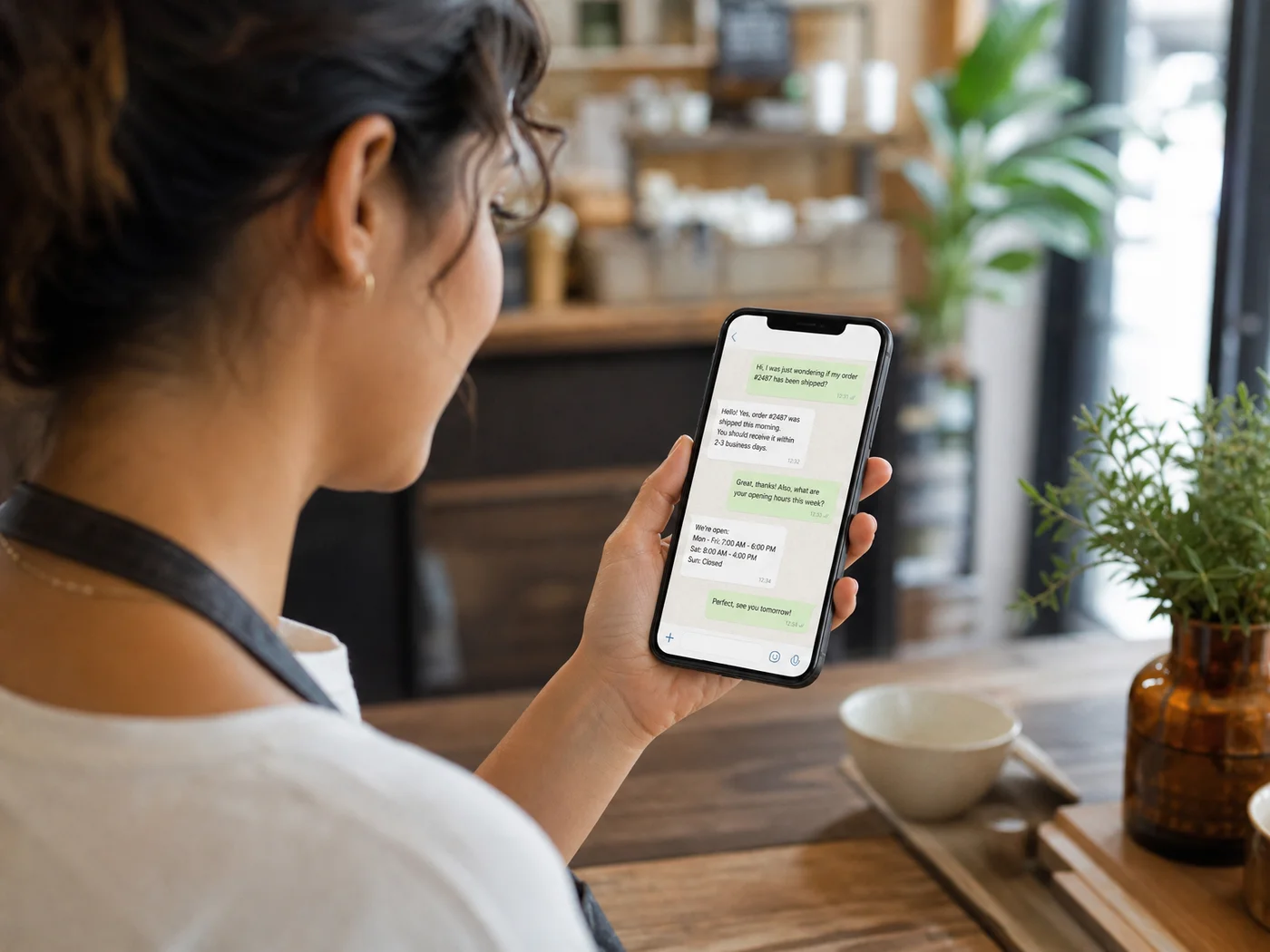 What your customer sees: an answer in the thread, not an auto-reply that says "we'll get back to you."
How Much Does OpenClawHQ for WhatsApp Cost?
OpenClawHQ costs $49 a month, flat. That price includes your private instance, the WhatsApp connection, the AI model and unlimited usage. There are no setup fees, no per-message charges and no token bills on top.
WhatsApp is not an add-on. It is one of the channels you choose in step three, and it is covered by the same $49.
Other managed OpenClaw services split the bill in two: a hosting fee, then a variable charge for usage. Here is how that looks, using the pricing each one publishes.
| Service | Hosting | Usage / tokens | What you actually pay |
|---|---|---|---|
| KiloClaw | $9/mo | Per-inference fees through its gateway | Varies with use |
| xCloud / MyClaw | $16/mo | Bring your own API keys | $16 plus your API bills |
| Blink Claw | $45/mo | Included, with caps | $45 for capped usage |
| Hostinger VPS | $3.99-$9.99/mo | Bring your own API keys | VPS plus API bills plus your time |
| OpenClawHQ | $49/mo | Included, unlimited | $49 |
A cheaper headline price can turn into a bigger bill the moment your agent gets busy. A flat one cannot.
Multiple WhatsApp Business Accounts: What We Support Today
OpenClawHQ's setup connects one messaging channel first, and WhatsApp is one of the choices. Our current plan is a single $49 plan with one private instance. Multi-number or multi-account WhatsApp setups are not something we document, so confirm your case with us before you sign up.
We would rather say that than promise it. If you run several numbers across locations or clients, check the setup against your needs before you commit.
Getting OpenClaw Running on WhatsApp Takes About Five Minutes
About five minutes for most people, within a range of three to seven. Account creation takes around 30 seconds, and most of the remaining time goes on the QR scan and a test message. There is no installation queue and no waiting on a server.
Self-hosters measure this in hours, and many give up inside the first fifteen minutes. The wall is rarely WhatsApp. It is the server and software before WhatsApp ever enters the picture.
Quick recap
- OpenClawHQ is managed OpenClaw. You get a private instance without owning a server.
- WhatsApp setup is a five-step web flow ending in a QR scan, usually three to seven minutes.
- $49 a month flat covers hosting, the AI model and WhatsApp. No setup fee, no token billing.
- It suits businesses that answer repetitive customer messages. It is not built for developers who want to manage their own stack.
Get Started with OpenClawHQ
If your inbox is the bottleneck, the quickest fix is an agent that is already running. Pick WhatsApp, scan the code, and let it take the first reply.
FAQ
What is OpenClawHQ?
OpenClawHQ is a managed hosting service for OpenClaw, the open-source AI agent. We give you a private, preconfigured instance that runs without any server or coding on your side. It costs $49 a month flat, with unlimited usage and no separate token fees.
Do I need my own AI account to use OpenClaw on WhatsApp?
No. The AI model is included in the $49 monthly price, so you do not need an OpenAI or Anthropic account or any API key. You also never see a token bill, because usage is unlimited and billed as one flat fee.
Is self-hosting OpenClaw on WhatsApp free?
The software is free, but running it is not. You need a server that stays online, Node.js 24, command-line setup and ongoing updates, plus your own AI API costs. OpenClawHQ bundles all of that into $49 a month.
Is OpenClawHQ safe to use?
Each customer gets an isolated, private instance, so your conversations are stored separately from other customers' data. We apply security updates ourselves and we do not sell or share conversation data. Messages are processed through our AI provider using standard API security.
Will OpenClaw work on apps other than WhatsApp?
Yes. OpenClaw supports Telegram, Slack, Discord, iMessage, Signal and 20+ other apps, and you choose your channel during setup. WhatsApp is only one option, and it uses the same flat plan.