
What Is OpenClaw and What Can It Do? | OpenClawHQ
What Is OpenClaw and What Can It Do?
OpenClaw isn't a chatbot. It's an autonomous AI agent that lives inside the messaging apps you already use — WhatsApp, Telegram, Slack, Discord — and actually executes tasks: browsing the web, sending emails, scheduling meetings, and running 100+ pre-built automations called skills.
 OpenClaw operates inside your existing messaging apps, executing real tasks autonomously — no separate app required.
Key Takeaways
- OpenClaw is a free, open-source autonomous AI agent that runs inside messaging apps and executes real tasks — not just text responses.
- It supports 20+ messaging platforms including WhatsApp, Telegram, Discord, Slack, iMessage, and Signal.
- With 100+ pre-built skills, OpenClaw handles web browsing, email automation, document summarization, API calls, and multi-step business workflows — activated conversationally, no coding required.
- Non-technical users can run OpenClaw via a managed service like OpenClawHQ without touching a server, command line, or API key.
- The software is free and open-source; running it properly requires either significant technical setup or a managed hosting service.
Contents
- What Is OpenClaw and What Can It Do? How the Agent Works
- What Is OpenClaw and What Can It Do for Your Business?
- How Does OpenClaw Differ From Regular Chatbots?
- Which Messaging Apps Does OpenClaw Support?
- What Are OpenClaw Skills and How Do You Use Them?
- Can Non-Technical Users Set Up OpenClaw?
- Is OpenClaw Right for My Business?
- How Do I Get Started With OpenClaw?
- Frequently Asked Questions
What Is OpenClaw and What Can It Do? How the Agent Works
OpenClaw is a free, open-source autonomous AI agent built to run inside your existing messaging apps. Unlike a chatbot that generates text responses, OpenClaw uses large language models to plan and execute real-world tasks — browsing the web, sending emails, managing files, and calling external APIs — all triggered by a natural-language message in your chat.
Austrian developer Peter Steinberger released the project on GitHub in November 2025 under the original name "Clawdbot." Within months it grew to 247,000+ GitHub stars and 47,700+ forks — one of the fastest-growing open-source AI projects in recent memory.
The naming history matters: a trademark dispute prompted a brief rename to "Moltbot" on January 27, 2026, then three days later the project settled on "OpenClaw." All three names refer to the identical software. The old names carry real search volume — Clawdbot at 60,500/month and Moltbot at 27,100/month — because the community adopted all three before the dust settled.
Worth knowing: OpenClaw doesn't run AI locally on your device. It connects to a cloud-hosted large language model (OpenAI, Anthropic, or whichever your managed service provides) and uses that model's reasoning to decide which tools to activate and in what order. Your instance is the relay — the reasoning happens in the cloud.
For the full architecture and naming history, What Is OpenClaw? The Open-Source AI Agent Explained covers how the agent runtime works under the hood.
What Is OpenClaw and What Can It Do for Your Business?
OpenClaw can browse the web, send emails, manage calendar events, call external APIs, read and summarize documents, fill web forms, schedule tasks, and run 100+ pre-built skill automations — all from inside a messaging app conversation. Each action is triggered by natural language; no menus, no forms, no per-task configuration needed.
That's what separates OpenClaw from FAQ-style services: it takes action rather than generating a reply. For business owners, that maps to real workflows:
- Customer support: Answer WhatsApp messages at any hour, handle FAQs, and route complex cases to a human automatically
- Lead qualification: Send screening questions to new inquiries, score responses, and forward hot prospects to a booking calendar
- Document workflows: Summarize contracts or reports sent via messaging, extract key dates, and email a brief to the right person
- Order and appointment follow-up: Confirm upcoming appointments, send delivery reminders, and collect post-job reviews
- Web research: Retrieve live pricing, check competitor offers, or pull supplier contact details on demand from any chat window
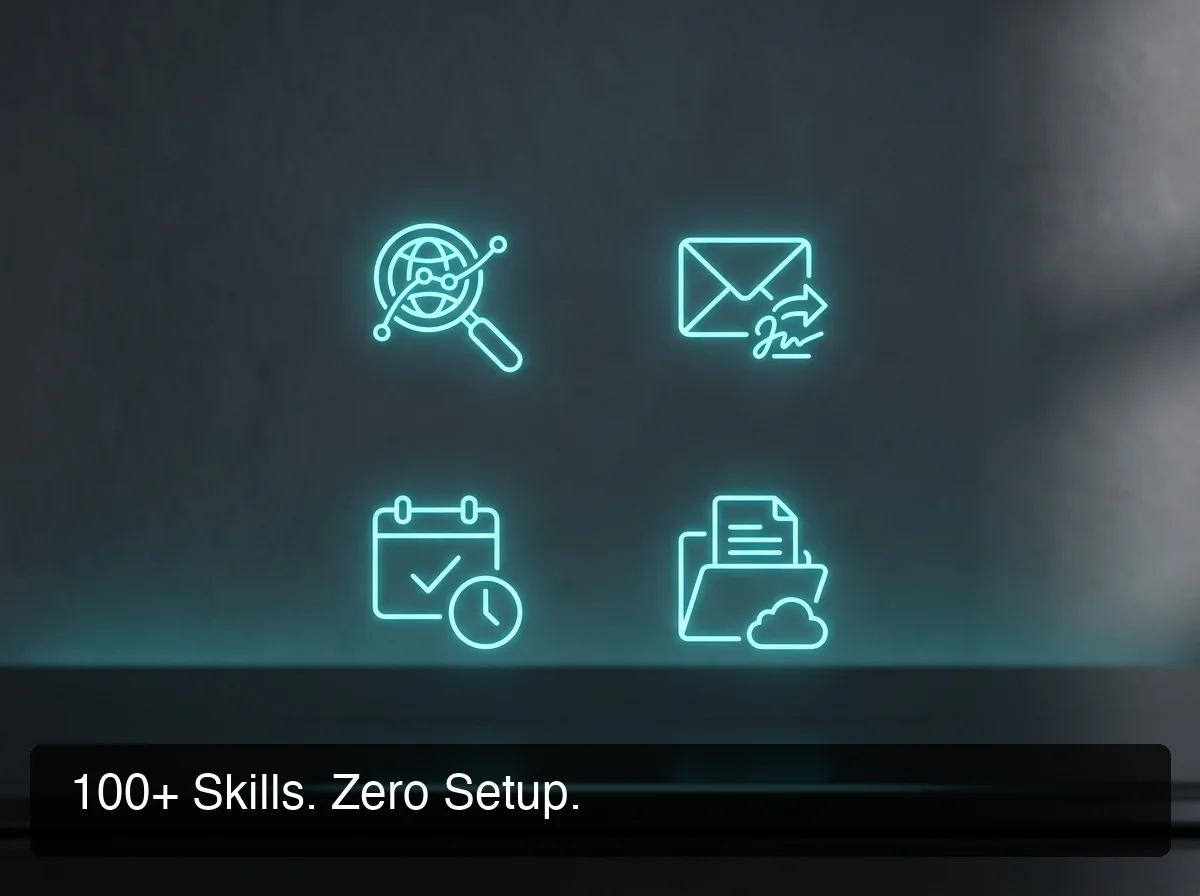 OpenClaw's 100+ pre-built skills span web browsing, email, calendar, API calls, and beyond — each activatable in one conversational request.
To see detailed real-world use cases organized by industry and task type, the capabilities guide covers specific workflow examples for restaurants, real estate agencies, service contractors, and more.
For the complete skill breakdown, OpenClaw Features: Complete Breakdown of Skills and Capabilities covers every category with real examples.
How Does OpenClaw Differ From Regular Chatbots?
The core difference: chatbots generate text. OpenClaw executes actions. Tell a chatbot to "schedule a meeting with my client tomorrow at 10am" and it writes instructions back to you. Tell OpenClaw the same thing and it creates the calendar event, sends the confirmation email, and messages the client on WhatsApp — in one request, without additional prompting.
Here's a direct comparison across the three most common alternatives:
| Feature | OpenClaw | Basic Chatbot | Workflow Automation (Zapier/Make) |
|---|---|---|---|
| Lives in messaging apps | Yes — WhatsApp, Telegram, 20+ more | Sometimes | No — separate dashboard |
| Understands plain language | Yes (LLM reasoning) | Limited (scripted flows) | No (trigger-action only) |
| Executes multi-step tasks | Yes — autonomously | No | Yes, but requires pre-configuration |
| Handles novel task requests | Yes | No | No |
| Browses the web live | Yes | No | No |
| Manages files and email | Yes | No | Limited |
| Typical monthly cost | Free software + infrastructure | $15–$150 | $20–$800 |
Reality check: Most "AI chatbots for business" are rules-based FAQ responders with a language model bolted on for tone. OpenClaw can pull live data from a webpage, access your actual inbox, and chain multiple steps in a single request — capabilities that chatbot platforms explicitly don't support.
Which Messaging Apps Does OpenClaw Support?
OpenClaw supports 20+ messaging platforms. You connect it to whatever app your business and customers already use — no migration, no asking anyone to download something new. A single OpenClaw instance can respond across WhatsApp and Slack simultaneously, handling customer-facing inquiries and internal team requests from the same agent.
The full supported platform list:
Business and team messaging: WhatsApp, Telegram, Slack, Microsoft Teams, Discord
Mobile and personal: iMessage (via BlueBubbles bridge), Signal, LINE, WeChat, Zalo
Developer and community: IRC, Matrix, Mattermost, Nextcloud Talk, Feishu, Twitch
 OpenClaw runs on 20+ platforms — connect it to the app your customers already use, with no migration required.
Most small businesses start with WhatsApp for customer-facing automation and Slack or Telegram for internal workflows. Channel setup requires one authentication step per platform: a QR scan for WhatsApp, a BotFather token for Telegram, or an OAuth click for Discord and Slack.
What Are OpenClaw Skills and How Do You Use Them?
OpenClaw skills are pre-built automations that connect the AI agent to specific services and capabilities. Each skill handles one function — web search, email, calendar management, API calls, document summarization — and multiple skills can chain together automatically within a single request. OpenClaw ships with 100+ skills ready to activate, with no custom code required.
The skill library spans four main areas:
Productivity: Web browsing and search, calendar and reminder management, document reading and summarization, task scheduling and tracking
Communication: Email drafting and sending, automated follow-up sequences, WhatsApp message drafting and routing
Data and integration: External API calls, web form automation, file creation and organization, database lookups
Research and retrieval: Live web data lookup, information aggregation across multiple sources, competitor and price monitoring
Non-technical users activate skills conversationally — "search the web for X" or "summarize this PDF" requires no dashboard configuration per query. Technical users can write and contribute custom skills to the community library.
Bottom line: OpenClaw's 100+ pre-built skills are why it can replace a category of repetitive work, not just a single task. It handles multi-step workflows where each step depends on the previous result — decisions made by the AI in real time, not flows you pre-configure in advance.
For a detailed walkthrough of every skill category and use case, OpenClaw Skills Explained: The Automations Your Business Needs covers activation, examples, and custom skill options.
Can Non-Technical Users Set Up OpenClaw?
Self-hosting OpenClaw requires Node.js 24 (the exact version — wrong version causes silent failures), npm global installation, a 24/7 server or VPS, command-line setup via the onboarding wizard, and per-channel authentication. Most non-technical users hit a wall before the first successful connection. A managed service removes all of this.
Here's what the self-hosted setup actually involves:
- Install Node.js 24 — version mismatch breaks the installation with no clear error message
- Run
openclaw onboard --install-daemonthrough the CLI wizard - Set up a server or VPS running continuously — a machine that sleeps or restarts breaks OpenClaw immediately
- Authenticate each messaging channel: WhatsApp needs a QR scan, Telegram needs a BotFather token, Discord and Slack need OAuth authorization
- Configure the background process (daemon) that keeps OpenClaw alive after reboots and crashes
- Manage security updates, version upgrades, and channel reconnections when they drop
This is a legitimate infrastructure project — the right path if you have a developer. For business owners running a business, the time cost simply doesn't justify the savings over a $49/month flat-rate service.
OpenClaw Without Coding: Get Your Instance Running in Minutes walks through the managed alternative step by step.
Is OpenClaw Right for My Business?
OpenClaw fits best when you manage high volumes of repetitive incoming messages — customer inquiries, lead follow-ups, appointment reminders — and want to automate responses and multi-step workflows without additional headcount. The strongest use case is any business where most customer contact happens via WhatsApp, Telegram, or messaging apps.
Strong fit — you're a likely candidate if:
- You receive 20+ similar customer questions per day and answer them one by one
- Lead follow-up is repetitive and you want it handled automatically before a human reviews
- Your team spends meaningful hours each week on document summarization, email drafting, or web research
- You're building AI automation services for clients and need a managed platform
- You tried to self-host OpenClaw and couldn't get past the technical setup
Probably not the right tool if:
- You only need a simple FAQ chatbot — OpenClaw is significantly more capable than that use case demands, and simpler tools exist
- Your compliance environment requires SOC 2, HIPAA, or strict GDPR data handling controls
- You want to write and publish custom skills from scratch (self-hosting with a developer is a better path for custom development)
The OpenClaw community hub has expanded rapidly on Discord, Reddit's r/AI_Agents, and GitHub because the tool delivers genuine, measurable automation value for the right business types.
 OpenClawHQ gives non-technical business owners a fully managed OpenClaw instance — live in minutes, no server required.
How Do I Get Started With OpenClaw?
Self-hosting OpenClaw takes a developer with server experience about 30–60 minutes. For non-technical business owners, the practical path is a managed service that brings setup down to 3–7 minutes via a guided web wizard.
OpenClawHQ provides managed OpenClaw hosting at $49/month flat — one price covering a private instance, unlimited AI usage, 100+ pre-installed skills, and all channel connections. No command line, no API keys, no VPS.
Sign up at openclawhq.io, choose your messaging channel, complete the guided setup (a QR scan for WhatsApp, a few OAuth clicks for Slack or Discord), and your OpenClaw instance responds to messages within minutes.
Frequently Asked Questions
What do people use OpenClaw for?
Businesses use OpenClaw for automated customer support on WhatsApp, lead qualification through conversational follow-up, document summarization, appointment reminders, and web research tasks. Individual users run it as a personal AI assistant for inbox management and calendar scheduling. The skill library covers enough ground that use cases range from customer-facing automation to internal team workflow management.
Is it safe to install OpenClaw?
OpenClaw is open-source with fully auditable code — every function is publicly readable on GitHub. The main safety consideration: OpenClaw executes real actions (emails, web browsing, API calls) based on your instructions, so account permissions should be scoped to only what it needs. Managed hosting uses isolated private instances, so your conversations and configurations stay separate from other customers.
What is the function of OpenClaw?
OpenClaw functions as an autonomous execution layer between you and your digital services. You send a natural-language request — "summarize this contract and email the key dates to my client" — and OpenClaw selects the relevant skills, executes them in order, and delivers the result. It handles multi-step workflows without requiring pre-configuration for every possible scenario.
Does OpenClaw need a GPU?
No — OpenClaw uses cloud-hosted large language models for AI reasoning, so the LLM runs on the provider's infrastructure, not yours. The agent runtime is lightweight Node.js code that runs on a basic VPS. Managed hosting services like OpenClawHQ handle all infrastructure; no specialized hardware needed.
What is OpenClawHQ?
OpenClawHQ is a managed hosting service that gives non-technical business owners their own private OpenClaw instance — fully configured and live in minutes — with unlimited AI usage for $49/month flat. No server setup, no coding, no separate token fees. OpenClawHQ handles infrastructure, updates, and channel connections so you focus on using the agent, not maintaining it.
What is the difference between OpenClaw, Clawdbot, and Moltbot?
They're all the same software. The project launched as "Clawdbot" in November 2025, was briefly renamed "Moltbot" on January 27, 2026 after a trademark dispute, then settled on "OpenClaw" three days later — the name it carries today. All three refer to the same open-source AI agent; OpenClawHQ provides managed hosting under any of those names.