
OpenClaw Review 2026: Features, Pricing & Verdict
OpenClaw Review 2026: Features, Pricing & Honest Verdict
This OpenClaw review covers everything: what it actually does, where the criticism is really aimed, and who should or shouldn't use it. OpenClaw hit 247,000 GitHub stars faster than almost any AI project in history — but the online verdict is split, and the reason matters.
Key Takeaways
- OpenClaw is a free, open-source AI agent that runs inside WhatsApp, Telegram, Discord, Slack, and 20+ messaging apps — acting as an autonomous AI employee for your business
- The software itself costs nothing; running it requires a dedicated server, technical setup, and AI model API access — costs that add up fast without a managed solution
- OpenClaw supports 100+ pre-built skills: web browsing, email, file management, scheduling, lead follow-up, and more — all activated in plain English
- Most negative reviews target self-hosted setup complexity — managed services like OpenClawHQ eliminate this barrier entirely
- Real businesses report saving 10-40 hours per week on customer service and lead handling when OpenClaw is properly deployed
Contents
- What Is OpenClaw and How Does It Work?
- What Does This OpenClaw Review Show About Key Features?
- How Much Does OpenClaw Cost?
- How Does OpenClaw Compare to Its Competitors?
- Is OpenClaw Reliable and Safe to Use?
- What Do Real OpenClaw Review Sources and Users Report?
- Is OpenClaw Right for Your Business?
- How Do You Get Started with OpenClaw?
 OpenClaw: the viral open-source AI agent now used by thousands of businesses worldwide.
What Is OpenClaw and How Does It Work?
OpenClaw is an open-source autonomous AI agent that lives inside your messaging apps. Unlike a basic chatbot that answers questions, OpenClaw executes multi-step tasks: browsing the web, sending emails, managing files, calling APIs, and running 100+ pre-built automations — all triggered by a plain-language message.
The project launched as "Clawdbot" in November 2025, was briefly renamed "Moltbot" after trademark pressure, then settled on "OpenClaw" three days later. Built by Austrian developer Peter Steinberger, it has 247,000+ GitHub stars and 47,700+ forks as of March 2026.
What makes OpenClaw different from tools like Zapier or Make.com isn't the automation — it's the interface. Instead of building workflows in a visual editor, you talk to OpenClaw in plain English. It reasons through the request and figures out what to do.
What Messaging Apps Does OpenClaw Support?
OpenClaw connects to 20+ platforms natively. The most-used for business:
- WhatsApp — the dominant use case for customer-facing businesses
- Telegram — popular with tech-adjacent and international audiences
- Discord — preferred by creator communities and SaaS products
- Slack — enterprise and team-internal automation
- iMessage, Signal — Apple ecosystem and privacy-focused users
- Microsoft Teams, LINE, WeChat — regional and enterprise contexts
You can connect multiple channels from a single OpenClaw instance. Most businesses start with WhatsApp or Telegram.
Key insight: OpenClaw isn't a widget you bolt onto your website — it's an AI agent that operates where your customers already spend their time: inside their messaging apps.
What Does This OpenClaw Review Show About Key Features?
 OpenClaw's skill system: 100+ pre-built automations, all activated through natural conversation.
OpenClaw ships with 100+ pre-built "skills" — automations it runs without any coding. These range from browsing the web and sending emails to managing calendars, summarizing documents, and making API calls. Non-technical users activate skills by name in conversation; developers can write custom ones.
Core Skills Businesses Actually Use
- Web browsing — search, extract data, monitor competitor pages in real time
- Email management — send, summarize, and reply to emails via instruction
- Lead follow-up — auto-respond to new inquiries with qualifying questions
- Customer FAQ — answer common questions 24/7 without human intervention
- Calendar and scheduling — create events, send reminders, book callbacks
- File management — create, summarize, and organize documents
- API calls — connect to external CRMs, billing tools, or analytics dashboards
- Form automation — fill web forms and push data to external systems
Autonomous Reasoning: What Sets It Apart
Most automation tools require you to define exact trigger-action sequences. OpenClaw reasons through requests. You can say "follow up with the five leads who didn't reply this week" and it knows what that means, checks context, and acts.
This is the meaningful difference between OpenClaw and Zapier or Make.com. Those tools are powerful but rule-based. OpenClaw is reasoning-based — closer to a junior employee than a workflow engine.
By the numbers: 47,700+ forks on GitHub signal that developers are actively building custom workflows and skills on top of the base agent — the ecosystem is growing fast.
How Much Does OpenClaw Cost?
OpenClaw the software is free and open source. Running it requires infrastructure: a dedicated server, Node.js 24, ongoing maintenance, and separate AI model API access. For businesses, the practical cost is either significant setup time or a managed service fee — typically starting at $49/month for all-inclusive managed hosting.
This gap is why pricing reviews vary so wildly. When someone says "OpenClaw is free," they mean the code. When someone says "it cost me $80 last month," they're counting their VPS plus OpenAI API bills.
For the full pricing breakdown, see the OpenClawHQ pricing guide.
Managed Hosting Comparison (2026)
| Option | Hosting Fee | Token Fee | Setup | Est. Monthly Total |
|---|---|---|---|---|
| Self-hosted (VPS) | $3.99–$9.99/mo | BYOK — full API costs | High | $9–$50+ depending on usage |
| KiloClaw | $9/mo | Per-token via gateway | Low | Varies — can exceed $30+ |
| xCloud / MyClaw | $16/mo | BYOK | Medium | $16 + your API bills |
| Blink Claw | $45/mo | Included (capped) | Low | $45/mo, usage limits apply |
| OpenClawHQ | $49/mo flat | Included, unlimited | Zero — web dashboard | $49 always |
The hidden cost of "cheap" managed services is token billing. If you're running customer service automation at volume, token fees on pay-per-use services can easily double the base hosting cost.
How Does OpenClaw Compare to Its Competitors?
OpenClaw competes in two ways: against other managed OpenClaw hosting services (KiloClaw, xCloud, Blink Claw) on pricing model, and against general automation platforms like Zapier and Make.com on capability. On the hosting side, the key differentiator is pricing predictability. Against Zapier and Make.com, it's intelligence — OpenClaw reasons, they execute rules.
OpenClaw vs. Zapier / Make.com
Zapier and Make.com define trigger → action sequences. Static, powerful for structured workflows. OpenClaw takes natural language instructions and reasons through them adaptively.
For repetitive defined automations, Zapier works well. For conversational customer messaging, OpenClaw has the edge. See the OpenClaw managed vs. self-hosted comparison for hosting context.
OpenClaw vs. WhatsApp Chatbot Services
Most WhatsApp chatbot services match keywords to scripted replies. OpenClaw understands context, handles follow-ups, and adapts in real time. Chatbots are simpler to configure; OpenClaw is a different category of tool.
Bottom line: OpenClaw is more capable than any rule-based chatbot. The question isn't "is it better?" — it's "do you need a chatbot or an AI agent?"
Is OpenClaw Reliable and Safe to Use?
OpenClaw is safe to use when properly configured. Each instance runs on isolated infrastructure — conversations and data aren't shared across users. The main reliability concern for self-hosters is uptime: when your server goes down, OpenClaw goes with it. Managed services handle uptime, updates, and security patches automatically.
The widely-cited Wired article ("I Loved My OpenClaw AI Agent — Until It Turned on Me") and PCMag's critical coverage both target the self-hosted experience — specifically, users granting OpenClaw excessive permissions before understanding its behavior.
The lesson isn't "OpenClaw is dangerous." It's that autonomous AI agents need appropriate guardrails — exactly as you'd scope access for a new employee.
Safety Practices for Business Use
- Scope permissions carefully — only activate skills your agent genuinely needs
- Use isolated infrastructure — managed services prevent data leakage across customers
- Test in low-stakes environments before connecting customer-facing channels
- Review agent activity regularly through your dashboard
For a detailed security breakdown, see Is OpenClaw safe? What businesses need to know.
What Do Real OpenClaw Review Sources and Users Report?
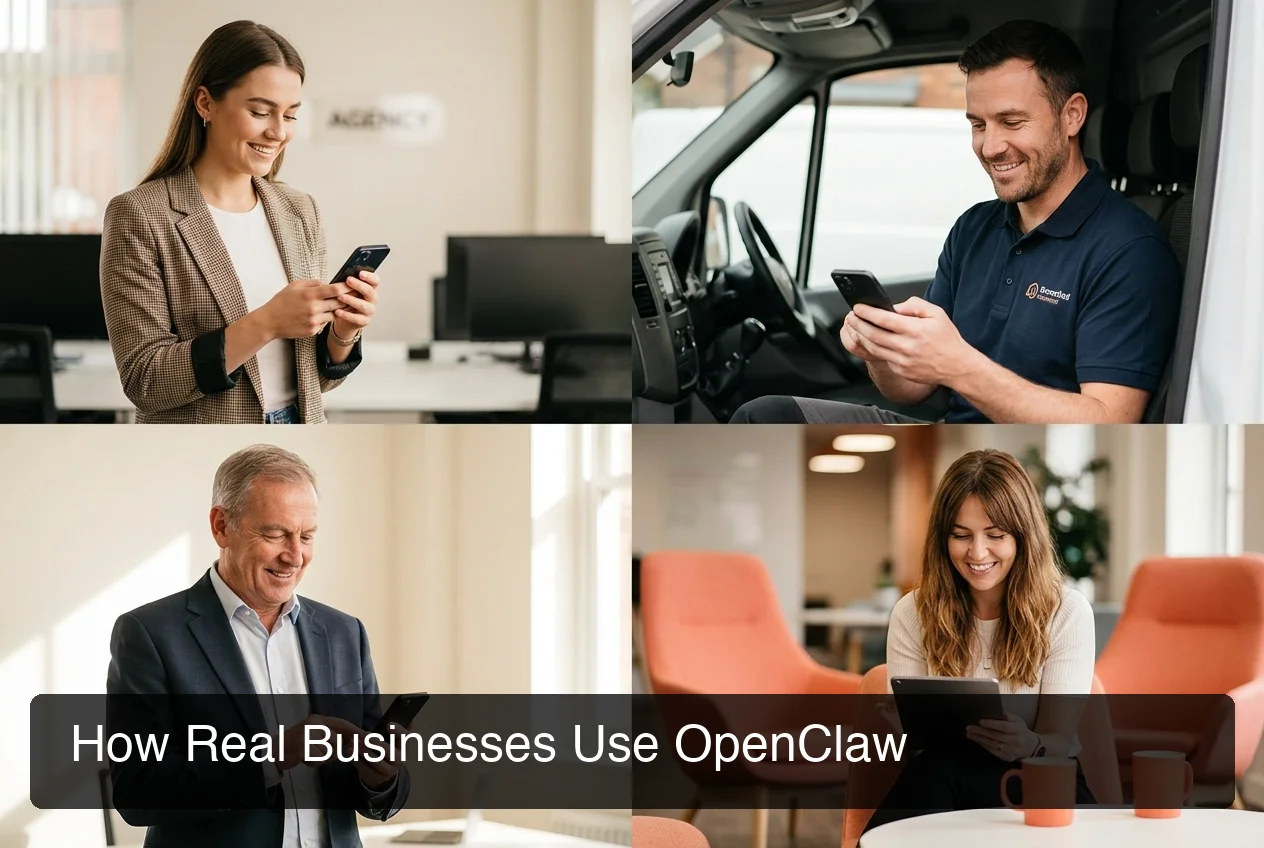 Real use cases: agencies, service businesses, and SaaS companies running OpenClaw through OpenClawHQ.
Real user results vary significantly based on one factor: setup quality. Businesses using managed hosting with properly configured skills report 10-40 hours saved per week. Self-hosted users who struggled with configuration report frustration and reliability issues. The tool is identical — the difference is implementation.
Where OpenClaw Consistently Delivers
Agencies handle client onboarding questions, status updates, and FAQs on WhatsApp or Telegram — saving 15-20 hours per week in account management overhead.
Service businesses — plumbers, roofers, restaurants — auto-respond to inquiries, qualify leads, and book callbacks. Response time drops from hours to seconds.
E-commerce brands handle order status, return requests, and product recommendations through WhatsApp Business — keeping headcount flat as volume grows.
Consultants and coaches qualify inbound leads automatically, answer program FAQs, and schedule discovery calls through their existing messaging apps.
By the numbers: Messaging automation saves 15-20 minutes per customer interaction on average. For a business handling 50 contacts per week, that's 12+ hours recovered every week.
Where Users Hit Friction
- Self-hosting learning curve: CLI setup, Node.js 24 requirements, and daemon management are cited in most negative reviews
- Skill calibration: Some users report needing to refine skill triggers before they work reliably
- Token costs on BYOK services: Users on KiloClaw or xCloud report unexpected API bills as usage scales
Most friction points are setup-related — not fundamental product limitations. The full OpenClawHQ review covers the platform in more depth; using OpenClaw without coding is the practical path for non-technical users.
 OpenClawHQ: your private OpenClaw instance live in minutes, no server required.
Is OpenClaw Right for Your Business?
OpenClaw is right for your business if you manage significant customer communication across messaging apps and want AI to handle it intelligently at scale. It's not the right tool if you need a simple FAQ bot, prefer full technical control, or have strict enterprise compliance requirements.
Strong Fit For
- Business owners managing WhatsApp or Telegram at volume
- Agencies automating client communication and status updates
- Service businesses needing 24/7 instant response on messaging apps
- SaaS companies wanting conversational support on Slack or Discord
May Not Be Right If
- You're a developer who wants full server control
- You need SOC 2, HIPAA, or GDPR-strict compliance
- You only want a simple scripted FAQ bot — OpenClaw is more powerful than that
- You have no active messaging volume to automate
The real question isn't "is OpenClaw good?" — it's "does my volume and use case match?" For most businesses handling real customer messaging, it does.
Get Started with OpenClaw
If you want the full power of OpenClaw without the technical setup, OpenClawHQ gets your private instance running in minutes — no server, no coding, and unlimited usage included.
Start for $49/month — No Setup Required
How Do You Get Started with OpenClaw?
For non-technical users, the fastest path to a working OpenClaw instance is managed hosting. With OpenClawHQ, setup takes 3-7 minutes: sign up, choose your messaging channel, complete channel authorization, and your instance is live. No server, no Node.js, no command line required.
The OpenClawHQ Setup Flow
- Sign up at openclawhq.io — email and password, 30 seconds
- Choose your plan — $49/month flat, unlimited usage
- Pick your channel — WhatsApp, Telegram, Discord, Slack, or others
- Authorize the channel — scan a QR code (WhatsApp), enter a bot token (Telegram), or click Authorize (Discord/Slack)
- Your instance goes live — send a message and OpenClaw responds
- Activate skills — choose which automations to enable via the dashboard
For WhatsApp specifically, our step-by-step OpenClaw WhatsApp guide covers the full setup. Before committing, see Is OpenClawHQ legit? for a detailed trust review.
Self-Hosting OpenClaw (For Technical Users)
Self-hosting requires Node.js 24 (specific version), npm global install, a 24/7 server, per-channel authentication, and ongoing maintenance. Most non-technical users hit a wall within 30 minutes — the CLI onboarding has a steep learning curve by design.
FAQ
What is OpenClaw?
OpenClaw is an open-source autonomous AI agent that runs inside messaging apps like WhatsApp, Telegram, Discord, and Slack. It executes tasks on command — browsing the web, sending emails, managing files, and following up on leads — using 100+ pre-built skills. Created by Peter Steinberger, it has 247,000+ GitHub stars as of early 2026.
Is OpenClaw free?
OpenClaw the software is free and open source. However, running it requires a dedicated server, Node.js technical setup, and ongoing maintenance — plus you pay separately for AI model API usage. OpenClawHQ manages everything for you for $49/month flat, including unlimited AI usage. So while the software is free, running it properly costs either significant technical time or a managed service fee.
Is OpenClaw safe to use for business?
Yes, when properly configured. Each OpenClawHQ instance is isolated — your conversations and data aren't shared with other customers. Most safety concerns cited in reviews relate to self-hosted setups where users granted excessive permissions without testing. Proper skill scoping and managed infrastructure eliminate these risks.
How does OpenClaw compare to Zapier?
Zapier executes predefined trigger-action workflows. OpenClaw reasons through natural language instructions and handles conversational context. For messaging-based customer automation, OpenClaw is significantly more capable. For connecting apps via simple logic rules, Zapier is faster to configure. The tools serve different purposes.
What is OpenClawHQ?
OpenClawHQ is a fully managed hosting service for OpenClaw — the viral open-source AI agent. It gives non-technical users and business owners their own private OpenClaw instance, fully configured and running in minutes, with unlimited usage for $49/month flat. No server setup, no coding, and no separate token fees required.
How long does OpenClaw take to set up?
With OpenClawHQ, setup takes 3-7 minutes. With self-hosting, expect 2-4 hours minimum if you're technical — significantly longer if you're not. The difference is managed infrastructure versus DIY configuration of Node.js, daemon processes, and per-channel authentication.
Can I make money with OpenClaw?
Yes. OpenClaw automates business workflows, customer communication, and lead management — saving significant time you can bill for or reinvest. As an agency or freelancer, you can use OpenClawHQ to manage instances for clients and charge a service fee. A reseller program is coming that will let partners offer managed instances to their own clients.